12 Best AI Skills for Small Business Owners in 2026 (Sales, Support, Invoicing & Marketing)
The best AI skills for small businesses in 2026: lead research, proposals, a lightweight CRM, support triage, invoicing and collections, bookkeeping, local SEO, and social - installable in Claude, ChatGPT, or any agent, no code required.
AgentVolt · · 6 min read
Why this matters
Running a small business means being the sales team, the bookkeeper, the marketer, the support desk, and the person who chases invoices - usually before lunch. AI was supposed to help with that, and mostly it has produced a chat window that writes a decent email if you explain the whole situation first.
Agent skills fix the "explain the whole situation" part. A skill is a SKILL.md file that teaches Claude, ChatGPT, or any other AI agent how one job in your business is done - the steps, the rules, the output - so you stop re-briefing it every time. Install a skill for invoicing and the agent invoices your way. Install one for proposals and it drafts them from your call notes.
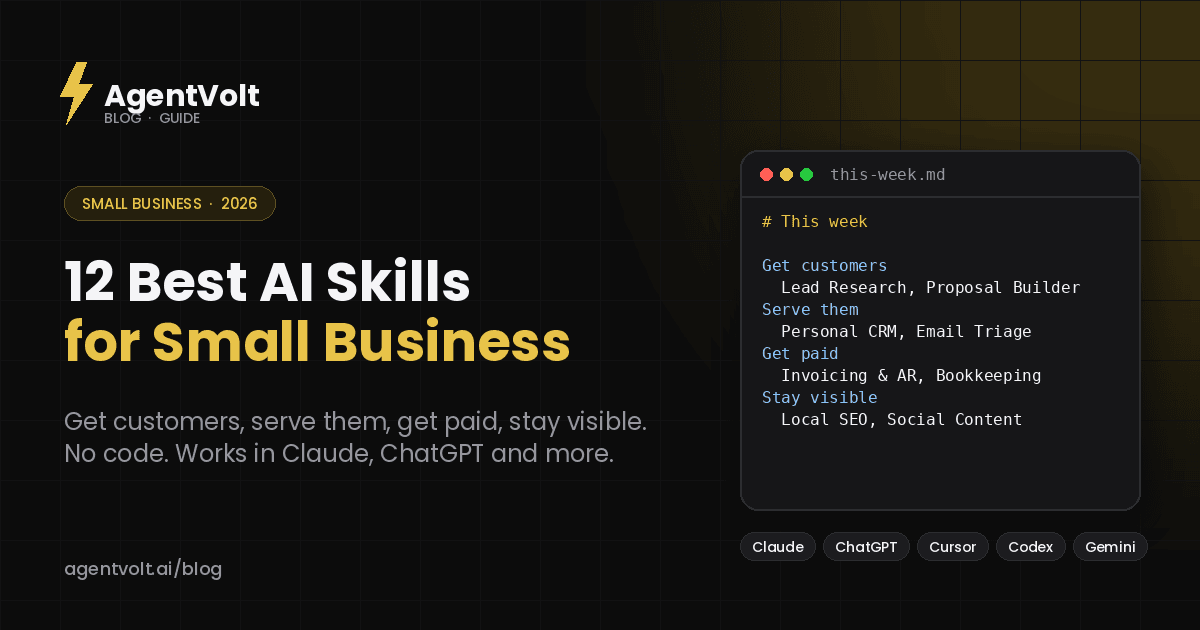
These are the 12 best AI skills for small business owners in 2026, organized the way your week is: getting customers, serving them, getting paid, and staying visible. Every one is a real, installable skill from the AgentVolt marketplace, and every one works in Claude, ChatGPT and Codex, Cursor, and 40+ other agents. New to skills? Start here.
Getting customers
1. First-Client-in-7-Days Playbook
A playbook for using AI to start a one-person business and sign the first paying client - offer, outreach, follow-up, close - in a week. If you are at the very beginning, this is the one to install before anything else.
Best for: new freelancers, consultants, and side businesses. Install: First-Client-in-7-Days Playbook
2. Lead Research Assistant
Describe your business and ideal customer and it finds target accounts, hands you contact details, and suggests an outreach angle for each. A first pass at list building that used to take an afternoon.
Best for: anyone doing their own prospecting. Install: Lead Research Assistant
3. Cold Email Refiner
The last pass before you hit send. Paste a draft; it cuts the me-first opening, reduces three asks to one, flags the words that trip spam filters, and returns the rewrite with a note on what was wrong.
Best for: everyone who writes their own outreach. Install: Cold Email Refiner
4. Proposal Builder
Drafts a custom client proposal in minutes from your sales call notes, replacing the hour of duplicating and editing the last one. The proposal is usually the bottleneck between a good call and a signed deal; this removes it.
Best for: agencies, contractors, and service businesses. Install: Proposal Builder
Serving customers
5. Personal CRM in Claude
Log interactions, surface who needs a follow-up, find contacts that have gone cold, and prep context before a meeting - without paying for or learning a real CRM. For a business with fewer than a few hundred contacts, this is often enough.
Best for: solo operators and two-person shops. Install: Personal CRM in Claude
6. Customer Support (Triage, Draft, Escalate)
Ticket triage, response drafting, customer research, and knowledge-base article writing in one bundle. Connect it to your support inbox and it drafts the routine replies and flags the ones that need you.
Best for: any business that gets more support email than it can answer by 5pm. Install: Customer Support
7. Email Triage Agent
Sorts the inbox into reply-now, reply-later, and archive, drafts the obvious replies, and surfaces the few that need a decision. For a small business the inbox is the operations center; this keeps it usable.
Best for: owners who run the business from Gmail. Install: Email Triage Agent
Getting paid
8. Invoicing & AR Skill
Generates professional invoices and drafts escalating accounts-receivable follow-ups - the friendly reminder, the firm one, and the one that mentions terms. Small businesses lose real money to collections nobody wants to send. This sends them.
Best for: anyone who invoices and hates chasing. Install: Invoicing & AR Skill
9. Bookkeeping Categorizer
Categorizes transactions into your chart of accounts and flags anomalies - the double charge, the vendor that suddenly doubled, the personal expense on the business card. Run it monthly and hand your accountant something clean.
Best for: owners who do their own books, or who want to spend less on the person who does. Install: Bookkeeping Categorizer
10. Receipt Folder to Expense Report
Drop a pile of PDF and photo receipts into a folder and get back a flagged Excel expense report with date, vendor, category, amount, and totals. Built for Claude Cowork, which can read the folder directly.
Best for: the shoebox. Install: Receipt Folder to Expense Report
Staying visible
11. Local SEO Manager
Manages local search for service-area businesses - HVAC, plumbing, cleaning, repair, anything that serves customers where they are. Google Business Profile, local citations, review responses, and the location pages that actually rank.
Best for: any business whose customers search "near me." Install: Local SEO Manager
12. Social Content
Creates and schedules posts for LinkedIn, Instagram, Facebook, X, and TikTok with each platform's conventions built in, so one idea becomes a week of posts without you rewriting it five times.
Best for: owners who know they should post more and do not. Install: Social Content
Honorable mentions
Google Ads Skill manages Google Ads campaigns without code. Legal (Contracts, NDAs, Compliance) reviews contracts and triages NDAs against your risk tolerance - not a lawyer, but a much better first read. Meeting Notes Synthesizer turns client calls into action items. Stop Slop Skill removes the tells that make AI-written copy read as AI-written; run everything customer-facing through it.
How to put these together
Start with whichever part of the week hurts most. For most small businesses that is getting paid or the inbox, and those two skills pay for themselves in the first month. Add sales skills when you have capacity to take on more customers, and marketing skills when you are ready to be found.
Connect the agent to Gmail, your calendar, and your accounting tool through MCP and most of these stop needing you to paste anything in - the skill pulls its own inputs. In Claude Cowork you can also schedule them: an inbox triage every morning, a bookkeeping pass every Friday. Our Cowork skills guide covers how.
How to install these skills
Open any skill page on AgentVolt, click Get this skill, and you get a ready-to-install SKILL.md - customized to your tone and format where the skill supports it. In the Claude app, upload it under Customize > Skills; in ChatGPT's Codex, Cursor, or Gemini CLI, drop the folder into the agent's skills directory. The install guide has the exact steps for each.
Every skill on AgentVolt is reviewed and security-scanned before it is listed. That matters for a small business more than for anyone: these skills touch your invoices, your books, and your customer list, and independent research has found security flaws in more than a third of skills on open registries.
Frequently asked questions
Do I need to know how to code?
No. Skills are Markdown files, and AgentVolt installs them in about 30 seconds. If you can use Claude or ChatGPT, you can use skills.
Do these work in ChatGPT or only Claude?
Both, and in Cursor, Gemini CLI, and 40+ other agents. Skills use an open standard, so one install works everywhere.
How much do AI skills cost for a small business?
AgentVolt Pro is $49/month, cancel anytime, and covers the entire library of 1,000+ skills. That is less than one hour of most bookkeepers.
Is it safe to give an AI my business data?
Use skills from a reviewed, scanned source, connect only the tools each task needs, and keep passwords out of the chat. Our security guide has the checklist.
Start with the job you put off
Every owner has one. Install the skill for it, run this week's version through it, and see how it compares to doing it yourself. If it saves you an hour, you have found your first hire.
Browse all small business skills on AgentVolt - expert-built, security-scanned, and ready to install in the AI you already use.
Skills in this post
Every one is included with AgentVolt Pro.
First-Client-in-7-Days Playbook
Playbook for using Claude AI to start a one-person business and sign the first client — a proven path from zero to first paid deal.
Lead Research Assistant
Finds target customers for your app and hands you contact details and outreach angles.
Cold Email Refiner
Rewrites your cold email to be tighter, more direct, and far less likely to read as spam.
Proposal Builder
Automatically drafts custom client proposals in minutes by pulling context from the sales call notes, replacing an hour of manually duplicating and editing old templates.
Personal CRM in Claude
Log interactions, surface follow-ups, find cold contacts, and prep pre-meeting context without opening a real CRM.
Customer Support (Triage, Draft, Escalate)
Ticket triage, response drafting, customer research, escalation packaging, and KB article authoring for support teams.
Email Triage Agent
Sorts your inbox, drafts the obvious replies, and surfaces the few messages that actually need you.
Invoicing & AR Skill
Generates professional invoices and drafts escalating accounts-receivable follow-ups.
Bookkeeping Categorizer
Categorizes transactions into a chart of accounts and flags anomalies.
Receipt Folder to Expense Report
Turn a folder of receipt PDFs and photos into an expense spreadsheet: right totals, tax and tip split, duplicates caught, nothing guessed.
Local SEO Manager
Manage local SEO for service-area businesses — appliance repair, HVAC, plumbing, cleaning, and any business that serves customers at their location.
Social Content
When the user wants help creating, scheduling, or optimizing social media content for LinkedIn, Twitter/X, Instagram, TikTok, Facebook, or other platforms.
Google Ads Skill
A free Claude skill that automates Google Ads campaign management with no code.
Legal (Contracts, NDAs, Compliance, Risk)
Contract review, NDA triage, compliance workflows, briefings, and templated responses tuned to your playbook and risk tolerances.
Meeting Notes Synthesizer
Turns a raw meeting transcript into clean action items, each with an owner and a due date.
Stop Slop Skill
Kills the AI-writing tells in Claude's output so text doesn't read as generic AI slop.