Claude Plugins vs Skills: What's the Difference and Which Should You Install?
A skill is one capability; a plugin is a package of skills, agents, hooks, and MCP servers. What each one is, what a plugin costs you in context on every turn, how they work on claude.ai and Cowork, and a two-question rule for choosing.
AgentVolt · · 7 min read
Why this matters
Open Claude Code, type /plugin, and you get a Discover tab full of things to install. Open the skills docs and you get a different thing to install. They overlap - a plugin can contain skills - and the docs for each point at the other, which is how people end up installing a plugin to get one skill, or writing a skill when they needed a hook.
This post draws the line. What a plugin is, what a skill is, how they relate, and a short decision rule for which one to reach for. It covers Claude Code first, where both exist in full, then how the same plugin format shows up on claude.ai and in Cowork.
The short version
A skill is one capability. A folder with a SKILL.md file - instructions Claude loads when a task matches, or that you run directly as /skill-name. It works on its own, with no plugin around it.
A plugin is a package. Anthropic's docs define it as "a directory of skills, agents, hooks, MCP servers, or other components that Claude Code installs and loads as one unit." It is how several things ship together, get installed with one command, and receive updates from a marketplace.
Every skill can exist without a plugin. A plugin exists to bundle skills with other things.
What a plugin can contain
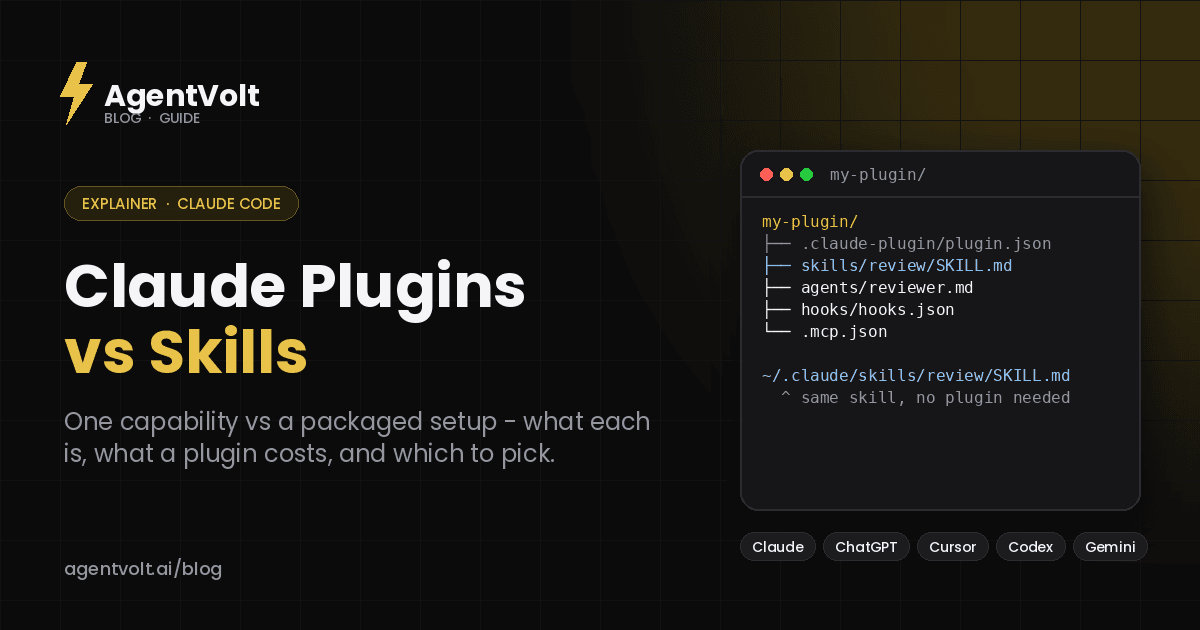
A plugin is a directory with a manifest at .claude-plugin/plugin.json that gives it a name and optional version and description. Inside, it can hold:
- Skills -
SKILL.mdinstructions Claude loads when relevant, which also run as commands namespaced to the plugin, like/my-plugin:review - Agents - subagent definitions Claude can delegate to
- Hooks - commands Claude Code runs at points in its lifecycle, such as after every edit
- MCP servers - tool servers Claude Code connects to while the plugin is enabled
A plugin with only skills in it is legal. Most plugins that are worth installing as plugins have at least two component types - a skill that describes a workflow, an MCP server that gives it tools, a hook that enforces it.
What a skill is on its own
A skill is the smallest useful unit: a folder named after the skill, containing SKILL.md with a name, a description, and Markdown instructions. Save it in ~/.claude/skills/ and it is available in every project on your machine; save it in a repo's .claude/skills/ and everyone who clones the repo gets it. Claude uses it automatically when the task fits, or you type /skill-name.
Skills are also an open standard. The same folder works in Cursor, Codex, Copilot, Gemini CLI, and 40+ other agents. Plugins are a Claude-specific packaging format around them.
Plugins vs skills: side by side
| Skill | Plugin | |
|---|---|---|
| What it is | One SKILL.md folder | A directory of skills, agents, hooks, and MCP servers with a manifest |
| Install | Copy the folder into a skills directory | /plugin in Claude Code, from a marketplace or a local folder |
| Updates | Manual - replace the folder | From the marketplace, versioned |
| Runs as | /skill-name, or automatically | /plugin-name:skill-name, plus agents, hooks, and MCP tools |
| Portable to other agents | Yes - open standard | No - Claude packaging format |
| Context cost when idle | Name + description of the skill | Name + description of every skill, agent, and command in it |
| Can run code on your machine | Only if it bundles scripts and you let it | Yes - hooks and MCP servers run as you |
| Best for | One procedure you want everywhere | A whole setup you want to install or share as a unit |
When to use a skill
Reach for a plain skill when the thing you want is a procedure: a review checklist, a writing style, a migration playbook, a way of structuring meeting notes. Anthropic's own guidance is that skills, subagents, hooks, and MCP servers all work on their own, without a plugin, and that a skill saved in ~/.claude/skills/ is available in every project.
Skills are also the right choice whenever portability matters. If you or your team use Cursor or Codex alongside Claude Code, a skill follows you; a plugin does not. And they are the right choice for anything you install from a marketplace outside Anthropic's - AgentVolt skills like Migrate, Tech Debt Tracker, or Incident Commander are standalone SKILL.md folders that drop into any agent.
When to use a plugin
Reach for a plugin when you want several things packaged as one unit. Anthropic's docs name three cases: install a setup someone else built, with one command and updates from its marketplace; give your own setup to teammates; or install the same setup in many projects, with versioned releases.
Concretely, a plugin earns its place when the workflow needs more than instructions. A code-review plugin that ships a review skill, a reviewer subagent, a hook that runs on every edit, and an MCP server for the issue tracker is four things that only make sense together. Splitting them into separate installs would be worse.
What a plugin costs you
This is the part most people miss. Anthropic's docs are explicit that an enabled plugin "is part of every session, not only the sessions where you use it." For each skill, agent, and command in the plugin that Claude can invoke on its own, the name and description sit in Claude's context on every turn, count toward your usage, and leave less room in the context window - even in sessions where nothing from the plugin runs. Its MCP servers run alongside every session where it is enabled, and its hooks fire at their events.
Two practical consequences. First, a plugin with fifteen skills in it costs you fifteen descriptions of context per turn, forever, for a workflow you might use weekly; three standalone skills would cost three. Second, plugins in Anthropic's official marketplace show a Context cost estimate in the Marketplaces tab before you install - look at it. After install, the Installed tab groups plugins you have not used recently, and /plugin or claude plugin disable turns one off without uninstalling.
Trust and security
Whatever it contains, "a plugin you install can run code with your user privileges." Hooks and MCP servers are real processes. Anthropic tiers marketplaces - official (claude-plugins-official), community (claude-community), and third-party (everything else, including one your coworker publishes) - and the official marketplace is the only one added automatically. Review a third-party plugin before installing it the way you would review a shell script someone emailed you.
Skills carry a related but narrower risk: they are instructions the agent follows, and a malicious one can direct the agent to do harm through the tools it already has. Snyk's ToxicSkills research found security flaws in more than a third of skills on one open registry. Install skills from a source that reviews and scans them; our security guide has the checklist.
Plugins on claude.ai and in Cowork
The same plugin format also installs on claude.ai and in Cowork, where a different set of components loads - the claude.ai side describes plugins as bundling skills, connectors, and sub-agents to customize how Claude works for your role, team, and company. Anthropic maintains a component-support table on claude.com for which pieces work where. The skills inside a plugin behave the same way everywhere: loaded when a task matches.
One thing to know: a cloud session, including claude.ai/code in the browser, does not load the plugins in your local Claude Code settings. Skills enabled in your claude.ai account, by contrast, sync to Cowork and cloud sessions without setup.
A decision rule
Ask two questions. Does it need more than instructions - an agent, a hook, a tool server? If no, it is a skill. Do I need to hand the whole setup to someone else as one install with updates? If no, it is still a skill. Only when both answers are yes do you need a plugin.
Frequently asked questions
Can a plugin contain just one skill?
Yes, but there is little reason to do that. A single skill installs by copying a folder and needs no manifest. Package it as a plugin only if you want marketplace distribution and versioned updates.
Do plugins work in Cursor or Codex?
No. Plugins are a Claude packaging format. The skills inside them do work elsewhere if you extract the SKILL.md folders, because skills are an open standard.
Does an installed plugin slow Claude down?
It does not slow the model, but it uses context on every turn - one name and description for each skill, agent, and command it contains - and its MCP servers and hooks run in every session where it is enabled. Disable plugins you are not using.
Where do I get skills without installing a plugin?
Anthropic's skills repository, GitHub collections, or a curated marketplace. AgentVolt lists 1,000+ reviewed, security-scanned standalone skills that install in Claude Code, Cursor, Codex, and 40+ other agents. Our marketplace comparison covers the options.
Start with a skill
If you are unsure, start with a skill. It is smaller, portable, and costs almost nothing to try. Graduate to a plugin when you find yourself wanting to hand three related pieces to someone else as one install.
Browse standalone skills on AgentVolt - reviewed, security-scanned, and ready for Claude Code or any agent on the standard.
Skills in this post
Every one is included with AgentVolt Pro.
Migrate
Plan and execute codebase or database migrations step by step with safety checks.
Tech Debt Tracker
Scan codebases for technical debt, score severity, track trends, and generate prioritized remediation plans.
Live Outage Incident Command
Run a live outage: impact-based severity, clear roles, a mitigation-first plan, timed status updates, and real resolution criteria.