What Are Agent Skills? The Complete Guide to SKILL.md (2026)
Agent skills are portable SKILL.md folders that teach Claude, ChatGPT, Cursor, and 40+ other agents how to do a task your way. Here is how the format works, how to install skills, and which ones are worth your time.
AgentVolt · · 8 min read · Updated
Why this matters
Every AI agent you use - Claude, ChatGPT, Cursor, Codex, Gemini CLI - ships with the same problem. It is smart, but it does not know how you work. It does not know your brand voice, your CRM fields, your outreach rules, or the ten-step process your best salesperson runs in their head. So you re-explain it in every chat, and you get slightly different results every time.
Agent skills fix that. A skill is a small, portable folder of instructions that teaches an agent how to do one job the right way, every time. Since Anthropic released the format as an open standard in December 2025, it has been adopted by more than 40 agent products, and the number of public skills has climbed into the millions.
This guide explains what agent skills are, how the SKILL.md format works, how to install skills in the tools you already use, and how to avoid the quality and security traps that come with an ecosystem this big.
What are agent skills?
An agent skill is a folder containing a SKILL.md file. That file holds two things: a short block of metadata (a name and a description) and a set of plain-language instructions that tell the agent how to perform a specific task. A skill can also bundle scripts, reference documents, and templates the agent can use while it works.
Think of it as an onboarding doc for your AI. Instead of prompting from scratch, you hand the agent a written procedure - "here is how we write cold emails, here is what to cut, here is the checklist to run before sending" - and the agent follows it.
The key word is portable. Because skills are just files, the same skill works in Claude, Claude Code, ChatGPT and Codex, Cursor, GitHub Copilot, VS Code, Gemini CLI, and dozens of other agents that support the standard. Build or install once, use everywhere.
Agent skills vs. prompts vs. MCP
People confuse three different things, so here is the short version.
| What it is | What it is good for | |
|---|---|---|
| Prompt | A one-off instruction in the chat | Quick, disposable tasks |
| Agent skill | A reusable folder of instructions the agent loads on demand | Repeatable workflows, brand voice, domain expertise |
| MCP server | A connection that gives the agent access to a tool or data source | Reading your calendar, querying a database, sending Slack messages |
Skills tell the agent how to do the work. MCP gives the agent access to the systems where the work lives. The best setups use both: an MCP connection to your inbox, plus a skill that tells the agent exactly how you want email triaged.
How the SKILL.md format works
The open specification at agentskills.io is deliberately simple. A skill folder looks like this:
cold-email-refiner/
├── SKILL.md        # Required: metadata + instructions
├── scripts/        # Optional: executable code
├── references/     # Optional: deeper documentation
└── assets/         # Optional: templates, examples
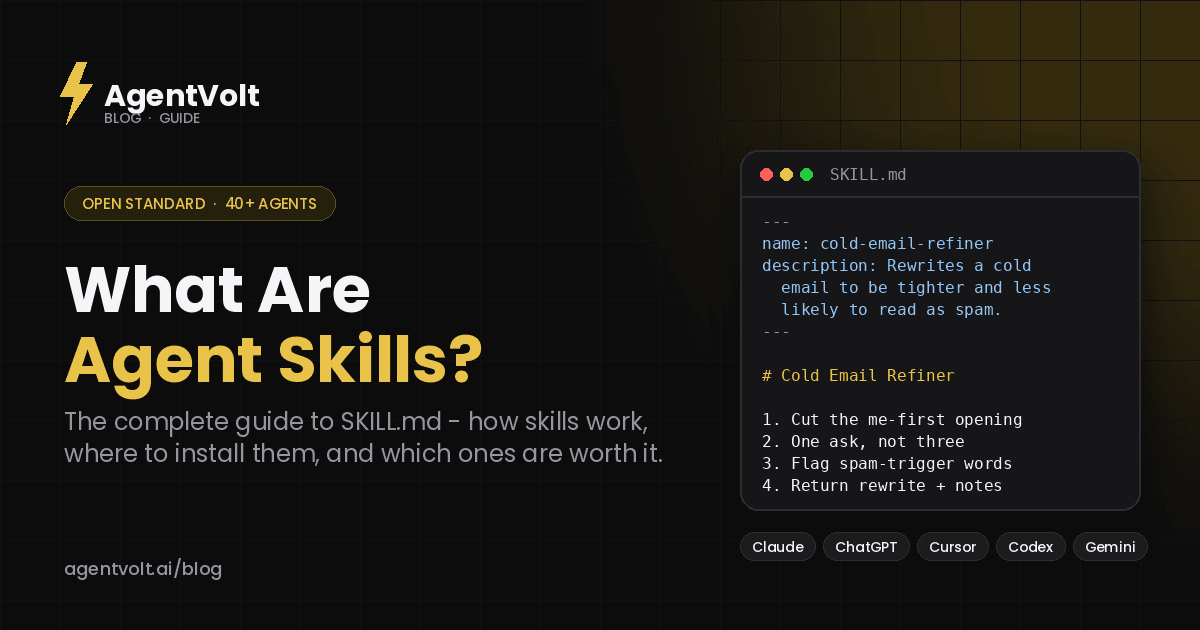
The SKILL.md file starts with YAML frontmatter and then reads like a well-written playbook:
---
name: cold-email-refiner
description: Rewrites a cold email to be tighter, more direct, and less likely to read as spam. Use when the user pastes an outreach draft.
---

# Cold Email Refiner

When the user shares a cold email draft:
1. Cut the me-first opening. Lead with the prospect.
2. Reduce multiple asks to one clear call to action.
3. Flag hype words that trip spam filters.
4. Return the rewrite plus a two-line note on what changed.
Two rules matter most. The name must be lowercase, hyphenated, and match the folder name. The description should say both what the skill does and when to use it, because that sentence is how the agent decides whether to load the skill at all.
Progressive disclosure: why skills do not bloat your context
The clever part of the standard is how skills load. Agents read them in three stages:
- Discovery. At startup the agent loads only the name and description of each installed skill - roughly 100 tokens apiece.
- Activation. When your request matches a skill's description, the agent pulls the full
SKILL.mdbody into context. - Execution. Scripts and reference files load only if the instructions call for them.
This is why you can keep 30 or 40 skills installed without slowing the agent down or eating your context window. The agent carries a table of contents, not the whole library.
Which AI agents support skills?
As of mid-2026 the agentskills.io client showcase lists more than 40 compatible products. The ones most people will care about:
- Claude and Claude Code (where the format originated)
- ChatGPT and OpenAI Codex
- Cursor
- GitHub Copilot and VS Code
- Gemini CLI
- JetBrains Junie, Kiro, Goose, OpenCode, Roo Code, Amp, Factory, and many more
Each product has its own skills directory - usually something like .claude/skills/, .cursor/skills/, or .codex/skills/ inside a project, plus a global folder for skills you want everywhere. The file format is identical across all of them.
How to install an agent skill
There are three common paths.
1. Copy the folder manually. Download or clone a skill, drop it into your agent's skills directory, and restart the agent. Works everywhere, but you are on your own for updates and security review.
2. Use a package-style installer. Some directories offer npm-style commands that fetch a skill from GitHub. Fast for developers, but it installs whatever is in the repo, vetted or not.
3. Use a curated marketplace. AgentVolt takes a different approach: every skill is built or reviewed by an expert, security-scanned before it is listed, and installable in about 30 seconds into any skills-compatible agent. Many skills also let you customize tone, audience, and output format before you install, so the SKILL.md ships already tuned to how you work. One Pro subscription unlocks the full library of 1,000+ skills.
For non-developers, the third path is the one that actually gets used. Nobody in marketing wants to manage a .claude folder.
The quality and security problem nobody talks about
The ecosystem grew fast, and quality did not keep pace.
A SkillsBench analysis of more than 47,000 public skills found an average quality score of 6.2 out of 12. Worse, Snyk's ToxicSkills research found prompt-injection patterns in 36% of the skills it tested and identified more than 1,400 malicious payloads in a popular public registry. A skill is a set of instructions your agent will follow, which means a bad skill is a supply-chain attack with a friendly name.
The flip side is that good skills work remarkably well. The same research found curated skills lifted agent task pass rates by an average of 16 percentage points, and that a focused set of two or three relevant skills outperformed sprawling all-in-one bundles.
So the practical advice is simple: install fewer skills, from sources that vet them, and read the SKILL.md before you trust it with anything that touches real data.
Agent skills you can install today
Here are a few of the most-installed skills on AgentVolt, chosen because each one replaces a task people currently do by hand. Every one of them works in Claude, ChatGPT, Cursor, and any other agent on the standard.
For sales and outreach
Cold Email Refiner - Paste a draft and it strips the filler, fixes a me-first opening, cuts three asks down to one, and flags the hype words that trip spam filters. You get the rewrite plus a short note on what was wrong.
CRM Note Cleaner - Turns rambling post-call notes into structured, CRM-ready entries with clear next steps.
For writing and content
Stop Slop Skill - Kills the tells that make AI writing read as AI writing. If you publish anything an agent helped draft, this is the first skill to install.
Content Repurposing Engine - Turns one video or transcript into a week of posts - threads, Shorts scripts, newsletters - in your voice.
YouTube Script Agent - Writes Shorts, standard, and long-form scripts with hooks, retention beats, and a CTA that lands.
For productivity
Email Triage Agent - Sorts your inbox, drafts the obvious replies, and surfaces the few messages that actually need you.
Meeting Notes Synthesizer - Turns a raw transcript into clean action items, each with an owner and a due date.
Daily Standup Generator - Pulls yesterday's commits, PRs, and tickets into a ready-to-post standup update.
For research
Research Brief Compiler - Give it a topic and a handful of links; get back a tight, sourced briefing you can act on.
How to write your own agent skill
If none of the above fits, writing a skill takes about twenty minutes. A good one has four parts:
- A description that doubles as a trigger. "Use when the user pastes a meeting transcript" is better than "Helps with meetings." The agent matches your request against this sentence.
- Numbered steps, not vibes. Write the procedure the way you would for a new hire on day one.
- Examples of good and bad output. One example of each does more than three paragraphs of explanation.
- A stop condition. Tell the agent what "done" looks like and what to ask the user if information is missing.
Keep the body under about 5,000 tokens. If it grows past that, move the detail into a references/ file and point to it.
Frequently asked questions
What is a SKILL.md file?
SKILL.md is the required file at the root of every agent skill. It contains YAML frontmatter (name and description) followed by Markdown instructions the agent follows when the skill is activated. It is the only mandatory file in a skill; scripts, references, and assets are optional.
Do agent skills only work with Claude?
No. The format started with Claude but was published as an open standard in December 2025. ChatGPT, Codex, Cursor, GitHub Copilot, VS Code, Gemini CLI, and more than 40 other agents now support the same SKILL.md format.
What is the difference between agent skills and MCP?
MCP (Model Context Protocol) connects an agent to tools and data - your calendar, a database, Slack. Skills teach the agent how to do a task well. They are complementary: MCP is the access, the skill is the procedure.
Are agent skills safe to install?
Only as safe as the source. Independent research has found prompt-injection patterns in roughly a third of public skills. Install from a marketplace that scans and vets skills, keep your install list short, and read the SKILL.md before trusting it with real data.
How much do agent skills cost?
Many public skills on GitHub are free but unvetted. Curated marketplaces charge a subscription; AgentVolt Pro is $19/month and includes every skill in the library, cancel anytime.
Get started
Skills are the difference between an AI that is impressive in a demo and one that reliably does your work the way you would. Pick one task you repeat every week, install a skill for it, and see how much re-prompting disappears.
Browse the AgentVolt marketplace to find expert-built skills for sales, content, productivity, finance, and development - all security-scanned and ready to install in any agent you already use.
Skills in this post
Every one is included with AgentVolt Pro.
Cold Email Draft Diagnosis and Rewrite
Paste a cold email draft and get the one problem killing replies, a short single-ask rewrite, a better subject line, and a change log.
Sales Call Notes to CRM Entry
Turns messy call notes or transcripts into a paste-ready CRM entry with evidence-backed fields, verbatim objections, and dated next steps.
Remove AI Writing Tells From Drafts
Strips the patterns that make text read as AI-written, with minimal edits, a change log, and placeholders instead of invented facts.
Content Repurposing Engine
Turn one video or transcript into a week of posts — threads, shorts scripts, newsletters — in your voice.
YouTube Script Writer (Shorts to Long-Form)
Shootable YouTube scripts from the title promise: hook in seconds, pacing by format, runtime-matched word count, one CTA, editor cues.
Inbox Triage and Ready-to-Approve Replies
Turn an inbox backlog into a short decision queue, ready-to-approve replies, and clear archive recommendations.
Meeting Decisions and Action Items
Turn raw meeting transcripts into supported decisions, open questions, and action items with owners and due dates.
Daily Standup Writer from Git and Tickets
Turns your commits, PRs, reviews, and ticket moves into a 15-second standup post that never says shipped when it only merged.
Source-Reconciled Research Brief
Turn supplied links into a concise brief with claim-level citations, reconciled source conflicts, and explicit evidence gaps.