12 Best Claude Cowork Skills in 2026 (Scheduled Tasks, Sub-Agents & Local Files)
The best Claude Cowork skills for 2026: morning briefings that run on a schedule, inbox triage with auto-drafts, sub-agent lead qualification, receipt-to-expense-report, and the setup skills that make Cowork know you.
AgentVolt · · 6 min read
Why this matters
Claude Cowork is the version of Claude that does the work instead of describing it. It runs on the same agentic architecture as Claude Code, without a terminal: it reads and writes your local files, opens sites and fills forms in a browser, coordinates sub-agents in parallel, produces real Excel and PowerPoint files, and runs scheduled tasks on a cadence even when your laptop is closed. It is available on Pro, Max, Team, and Enterprise plans, on desktop, web, mobile, and in a Chrome side panel.
That is a lot of capability, and out of the box it has no idea what to do with it for you. Skills are how you fix that. A skill is a SKILL.md file that tells Cowork exactly how to run one job - and because Cowork's scheduled tasks "have access to the same capabilities as regular Cowork tasks, including connected tools, skills, and installed plugins," a skill plus a schedule is a job that runs itself.
These are the 12 best Claude Cowork skills in 2026, chosen because each one uses something only Cowork can do: local files, connectors, sub-agents, or schedules. Every one is a real, installable skill from the AgentVolt marketplace. New to skills? Start here.
Set up first: make Cowork know you
1. About-Me Folder Setup for Cowork
Creates the three files - about-me, memory, and writing-rules - that turn Cowork from a capable stranger into an assistant that knows your role, your people, and your voice. Every other skill on this list works better once these exist. Do this one first.
Best for: everyone, on day one. Install: About-Me Folder Setup for Cowork
2. Tone-of-Voice From Email History Extractor
Point Cowork at the last month of your Gmail and it distills how you actually write - sentence length, sign-offs, how direct you are - into a memory file, so every draft it produces afterward sounds like you rather than like a model.
Best for: anyone who will let Cowork draft email on their behalf. Install: Tone-of-Voice From Email History Extractor
Scheduled tasks that run without you
3. Morning Briefing Dashboard
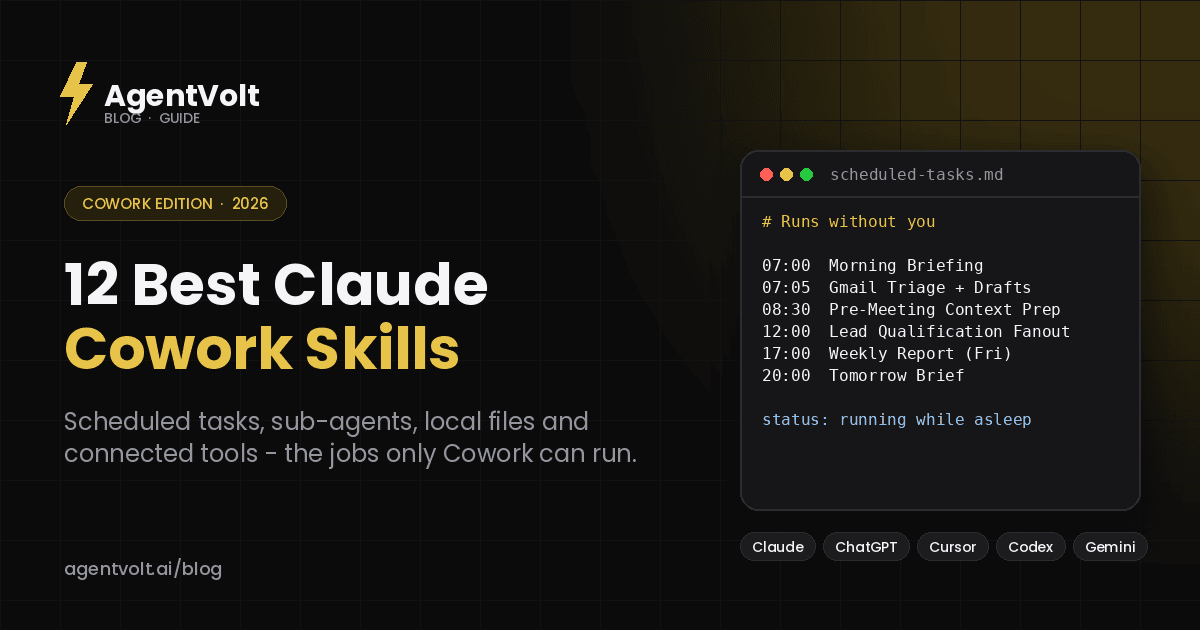
A scheduled task that pulls email, calendar, docs, Slack, and web news into one "today's one thing" summary before you sit down. Because scheduled tasks run remotely, it is waiting for you whether or not your computer was on.
Best for: managers and founders who start the day by triaging five apps. Install: Morning Briefing Dashboard
4. Nightly Tomorrow Brief Scheduled Task
The evening counterpart: an 8pm task that scans tomorrow's calendar and inbox and messages you a chief-of-staff style day-ahead brief - who you are meeting, what is open with each of them, and what to prepare.
Best for: anyone with a calendar they do not control. Install: Nightly Tomorrow Brief Scheduled Task
5. Gmail Triage With Auto Drafts
Sorts, labels, archives, and pre-drafts replies against your personal inbox rules on a schedule. You open Gmail to an inbox that has already been triaged and a set of drafts waiting for a read and a send.
Best for: anyone whose inbox is the job. Install: Gmail Triage With Auto Drafts
6. Email Helper
Learns your email patterns, then drafts responses automatically in Gmail every morning in your voice. Pair it with the Tone-of-Voice Extractor above and the drafts need very little editing.
Best for: people who answer the same twenty kinds of email every week. Install: Email Helper
Sub-agent workflows
7. Lead Qualification Sub-Agent Fanout
Drop in a lead CSV and Cowork spins up parallel sub-agents that qualify every row against your ICP criteria - a few hundred leads in about two minutes. This is the skill that shows what sub-agent coordination is for.
Best for: sales teams and founders working from raw lists. Install: Lead Qualification Sub-Agent Fanout
8. Lead Enrichment via Apify Sub-Agents
The next step: parallel sub-agents enrich each qualified lead with their last LinkedIn post, company size, and description, so the outreach that follows has something specific to say.
Best for: teams running outbound at volume. Install: Lead Enrichment via Apify Sub-Agents
Local files and documents
9. Receipt Folder to Expense Report
Drop a hundred mixed PDF and JPEG receipts into a Cowork folder and get back a flagged Excel expense report - date, vendor, category, amount, totals - with anomalies marked. Cowork's local file access plus its ability to produce real spreadsheets, in one job.
Best for: anyone who has ever done expenses the night before they were due. Install: Receipt Folder to Expense Report
10. Folder Organizer Auditor
Scans a folder, proposes a reorganization plan, and executes it only after you approve. No blind moves. Point it at the Downloads folder you have been avoiding.
Best for: everyone with a Downloads folder. Install: Folder Organizer Auditor
Connected-tool workflows
11. Meeting Transcript vs Notes Reconciler
Pulls the meeting transcript from Google Drive and the team's notes from Notion, then surfaces every commitment that was made in the meeting but never made it into the notes. It catches the things that quietly fall through.
Best for: teams that take notes and still lose action items. Install: Meeting Transcript vs Notes Reconciler
12. Weekly Report From Multi-Team Updates
Combines several teams' weekly updates - in whatever formats they arrive - into one clean 300-word leadership report as a PDF, and saves the workflow so next week is one prompt.
Best for: chiefs of staff, ops leads, and anyone who compiles the Friday report. Install: Weekly Report From Multi-Team Updates
Honorable mentions
Pre-Meeting Context Prep pulls the last conversation, open threads, and action items for whoever is on your next call. Notion Context Map for Cowork describes your Notion workspace once so Cowork stops burning time finding things. CEO Company Status Slash Command pulls analytics, metrics, and team updates into one briefing on demand. Cowork Permissions Settings Wizard sets sensible defaults for what Cowork can do without asking.
How to install Cowork skills
Skills you enable in your claude.ai account are available in Cowork automatically - Cowork loads them with no setup on your machine. Upload a skill under Customize > Skills in the Claude app (code execution needs to be on under Settings > Capabilities first) and it is live in your next Cowork session.
From AgentVolt, open any skill page, click Get this skill, and you get the ready-to-install SKILL.md, customized to your tone and output format where the skill supports it. The same file also works in Claude Code, Cursor, Codex, and 40+ other agents on the open standard; our install guide covers each.
A note on permissions
Cowork can read your files, act in your browser, and reach your connected tools, which makes the source of a skill matter more here than almost anywhere. Every skill on AgentVolt is reviewed and security-scanned before it is listed. Use Cowork's approval modes to decide when it asks before acting, and start new skills in a mode that asks. Our security guide has the checklist.
Frequently asked questions
What is Claude Cowork?
Cowork is Claude's agentic mode for knowledge work: it can read and write local files, use a browser, coordinate sub-agents, produce Excel and PowerPoint files, and run scheduled tasks. It is available on Pro, Max, Team, and Enterprise plans across desktop, web, mobile, and Chrome.
Do skills work in Cowork scheduled tasks?
Yes. Anthropic's documentation states scheduled tasks have the same capabilities as regular Cowork tasks, including skills, connectors, and plugins. Several skills on this list are designed specifically to run on a schedule.
Can I use these skills outside Cowork?
Yes. They are standard SKILL.md files, so they also work in Claude Code, Cursor, Codex, Copilot, and Gemini CLI - though the ones that rely on scheduling, local folders, or sub-agents do their best work in Cowork.
Are these skills free?
They are included with AgentVolt Pro at $49/month, cancel anytime, which covers the entire library of 1,000+ skills.
Start with the setup skill, then schedule one thing
Install About-Me Folder Setup and fill in the three files. Then pick one recurring chore - the morning briefing is the popular choice - install that skill, and schedule it. When something useful shows up tomorrow morning without you asking, you will understand what Cowork is for.
Browse Cowork-ready skills on AgentVolt - reviewed, security-scanned, and built for the things only Cowork can do.
Skills in this post
Every one is included with AgentVolt Pro.
About-Me Folder Setup For Cowork
Create the three files (about-me, memory, writing-rules) that turn Claude Cowork into an assistant that actually knows you and writes in your voice.
Personal Email Voice Guide Extractor
Turn your sent emails into a measured personal style guide: counted rules, quotes, register by recipient, and a never-say list.
Morning Briefing Dashboard
A scheduled dashboard that pulls email, calendar, docs, Slack, and web news into one 'today's one thing' summary.
Nightly Tomorrow Brief Scheduled Task
Schedule a Cowork task at 8pm that scans tomorrows calendar and emails and messages you a chief-of-staff style day-ahead brief.
Gmail Triage With Auto Drafts
Sort, label, archive, and pre-draft replies against your personal inbox rules on a schedule. Inbox zero as a habit.
Email Helper
Teaches Claude to write emails that sound like you by codifying past email patterns, then drafts them automatically in Gmail every morning.
Lead Qualification Sub-Agent Fanout
Take a lead CSV and have Claude Cowork spin up 15 parallel sub-agents that qualify each lead against your ICP criteria in two minutes.
Lead Enrichment Via Apify Sub-Agents
Parallel sub-agents call Apify LinkedIn scrapers to enrich each qualified lead with last LinkedIn post, company size, and company description.
Receipt Folder to Expense Report
Turn a folder of receipt PDFs and photos into an expense spreadsheet: right totals, tax and tip split, duplicates caught, nothing guessed.
Folder Organizer Auditor
Scan a folder, propose a reorganization plan, and execute it on approval. No blind file moves.
Transcript vs Notes Commitment Check
Compare a meeting transcript to the written notes and list commitments said aloud but missing, wrong owners or dates, all with quotes.
Multi-Team Weekly Leadership Report
Merge team updates in mixed formats into one leadership report: normalized metrics, honest lowlights, exact counts, real word limit.
Pre-Meeting Context Prep
Pull last conversation, action items, and open threads for whoever is on your next meeting. Walk in prepared without hunting.
Notion Context Map For Cowork
Drop a my-context-map MD file into your about-me folder that describes your entire Notion workspace so Cowork stops burning tokens finding things.
CEO Company Status Briefing
On-demand CEO briefing from your dashboards and team channels: attention items first, every number sourced and dated, stale data flagged.
Cowork Permissions Settings Wizard
Ask Claude to add the common safe permissions to settings.json (read, tests, git ops, dev server) and gate the risky stuff (installs, deletes, network calls).