12 Best AI Skills for Sales Teams in 2026 (Prospecting, Outreach, CRM & Closing)
The best AI skills for sales, from lead research and qualification to cold email, CRM logging, and proposals - all installable in Claude, ChatGPT, Cursor, or any agent in 30 seconds.
AgentVolt · · 6 min read
Why this matters
Sales teams were early to AI and early to be disappointed by it. A chatbot that writes a generic email is not much faster than writing it yourself, and a "personalized" opener that reads like it was generated in bulk gets deleted faster than a plain one.
The fix is not a better model. It is giving the model a procedure. Agent skills are small SKILL.md files that teach Claude, ChatGPT, or any other AI agent exactly how a good rep does one job - how to research a prospect, how to tighten a cold email, how to log a call so the pipeline stays honest. Install a skill once and the agent follows the process every time, in your voice, without a paragraph of setup.
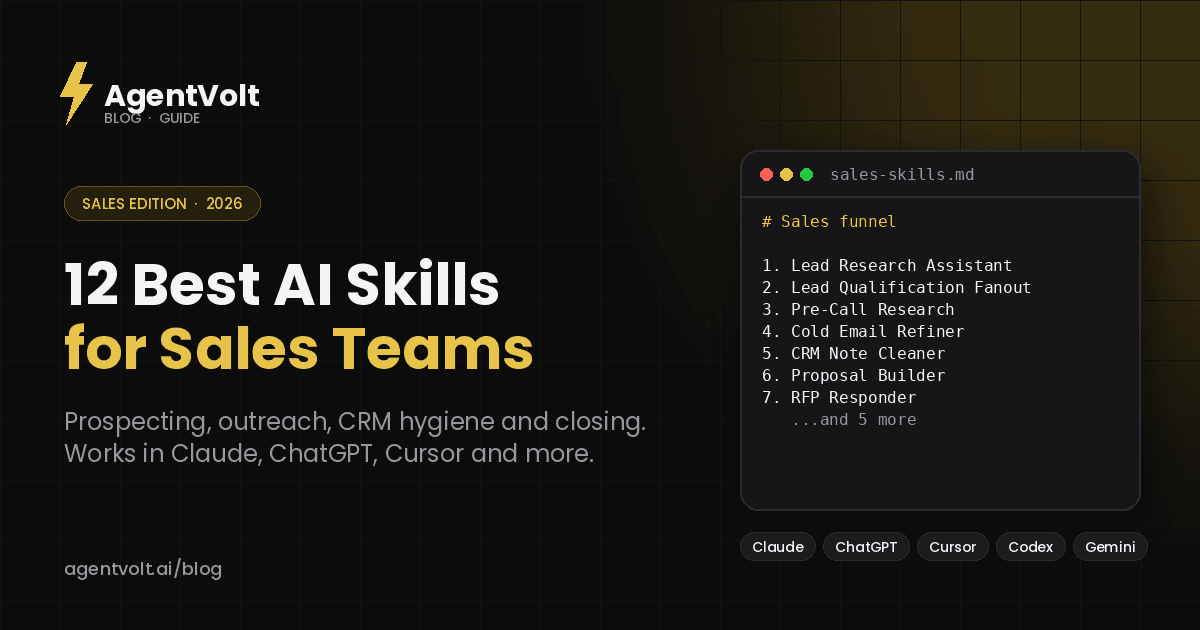
Here are the 12 best AI skills for sales, organized by where they sit in the funnel. Every one is a real, installable skill from the AgentVolt marketplace, and every one works in Claude, Claude Code, Codex, Cursor, and 40+ other agents on the open standard.
Prospecting and research
1. Lead Research Assistant
Give it a description of your product and ideal customer and it finds target accounts, hands you contact details, and suggests an outreach angle for each. It is a first pass at list building that used to take an afternoon.
Best for: founders and small teams without an SDR. Install: Lead Research Assistant
2. Lead Qualification Sub-Agent Fanout
Drop in a lead CSV and the skill spins up parallel sub-agents that score every row against your ICP criteria - in about two minutes for a few hundred leads. Built for Claude's Cowork mode, it is the fastest way to turn a raw list into a ranked one.
Best for: anyone who inherits messy lead lists. Install: Lead Qualification Sub-Agent Fanout
3. Lead Scoring Calculator
Scores and ranks leads against a weighted model you define and outputs a formatted Excel file rather than a wall of chat text. The spreadsheet output is the point: it drops straight into the workflow your team already has.
Best for: ops-minded teams who want scoring they can audit. Install: Lead Scoring Calculator
4. Pre-Call Research
Automates the 10 to 15 minutes of prep before every call - pulls context on the prospect from the web and your notes, and preloads talking points. Run it against tomorrow's calendar and walk into every meeting prepared.
Best for: AEs with back-to-back calls. Install: Pre-Call Research
Outreach
5. Cold Email Refiner
The last pass before you hit send. Paste a draft; it cuts the me-first opening, reduces three asks to one, flags the hype words that trip spam filters, and returns the rewrite with a two-line note on what was wrong. Use it on a single email or to set the bar for a whole sequence.
Best for: everyone who writes their own outreach. Install: Cold Email Refiner
6. Outbound Pipeline Chained Command
Chains lead qualification, enrichment, and a personalized icebreaker into one command that turns a raw CSV into a ready-to-send campaign. It is several of the skills on this list wired together, which is the direction serious outbound is heading.
Best for: teams running outbound at volume in Claude Code. Install: Outbound Pipeline Chained Command
7. LinkedIn BDR Outbound Loop
Reviews your LinkedIn connections in the browser, qualifies them, spins up a lightweight CRM in Notion, and drafts personalized outreach - a full BDR loop from a single prompt.
Best for: founders and consultants selling through their own network. Install: LinkedIn BDR Outbound Loop
8. Upwork Outreach Skill
Generates personalized Upwork proposals with a custom cover letter, a technical breakdown of how you would approach the job, and a simple diagram - the things that get a proposal read when 40 others are pasted templates.
Best for: freelancers and agencies bidding on platforms. Install: Upwork Outreach Skill
Pipeline hygiene
9. CRM Note Cleaner
Dump your post-call brain into the agent and get a structured, CRM-ready entry: contact details, pain points, objections, next steps. It is the difference between a pipeline you trust and one you have to re-read before every forecast call.
Best for: anyone who takes call notes and dreads logging them. Install: CRM Note Cleaner
10. Personal CRM in Claude
Log interactions, surface follow-ups, find contacts that have gone cold, and prep pre-meeting context without opening a real CRM. For a solo seller or a founder, this is often all the CRM they need.
Best for: one-person sales motions. Install: Personal CRM in Claude
Closing
11. Proposal Builder
Drafts a custom client proposal in minutes by pulling context from your sales call notes, replacing the hour of duplicating and editing an old template. Pair it with the CRM Note Cleaner and the notes are already structured when the proposal skill reads them.
Best for: services businesses and agencies. Install: Proposal Builder
12. RFP Responder
When an RFP, RFI, security questionnaire, or vendor questionnaire lands, this skill parses the buyer's requirements section by section and builds a structured response. It will not write your answers for you, but it will make sure you do not miss a question.
Best for: teams selling into procurement-heavy buyers. Install: RFP Responder
Bonus: the full sales bundle
If you would rather start with one install, Sales (Prospect Research to Battlecard) packages prospect research, call prep, pipeline review, outreach drafting, and competitive battlecards into a single skill that runs standalone or wired to your CRM.
How to put these together
Skills work best in sequence, and the sequence here follows the funnel. A weekly loop that works for a small team: build the list with Lead Research Assistant, qualify it with the Fanout or Scoring Calculator, write the sequence and run every email through Cold Email Refiner, prep each call with Pre-Call Research, log it with CRM Note Cleaner, and let Proposal Builder draft the close.
Connect the agent to your inbox, calendar, and CRM through MCP and most of those steps stop needing you to paste anything - the skill pulls its own inputs. Our post on agent skills vs MCP explains how the two fit together.
Do not install all 12 at once. Start with the stage where you lose the most hours - for most reps that is either pre-call research or CRM logging - and add the next skill once the first one is a habit.
How to install sales skills
Open any skill page on AgentVolt, click Get this skill, and you get a ready-to-install SKILL.md - already customized to your tone, audience, and output format where the skill supports it. In the Claude app, upload it under Customize > Skills; in Claude Code, Cursor, Codex, or Gemini CLI, drop the folder into the agent's skills directory. The install guide has the exact path for each.
Every skill is expert-built and security-scanned before it is listed, which matters more in sales than almost anywhere else: these skills touch your CRM, your inbox, and your customer data. Independent research has found security flaws in more than a third of skills on open registries; a reviewed source removes that risk before you see the file.
Frequently asked questions
Do these skills work with my CRM?
The skills themselves are instructions; they work with whatever the agent can reach. Connect your CRM through MCP (HubSpot, Salesforce, Notion, and others have connectors for Claude and ChatGPT) and skills like CRM Note Cleaner and Pre-Call Research can read and write to it directly.
Will AI-written outreach hurt my reply rates?
Generic AI outreach does. Skills fix the "generic" part by encoding a real process - the Cold Email Refiner exists specifically to remove the patterns that make email read as automated. For anything going to a prospect, run it through the Stop Slop Skill too.
Are these skills free?
They are included with AgentVolt Pro at $19/month, cancel anytime, which covers the entire library of 1,000+ skills rather than one at a time.
Can I write a skill for my own sales process?
Yes. A skill is a Markdown file with your steps and rules; our guide to writing a SKILL.md file walks through it in twenty minutes.
Start with one call
Take tomorrow's first meeting. Run the prospect through Pre-Call Research, and after the call run your notes through CRM Note Cleaner. Compare the result to what you would have done alone. That one cycle will tell you more than any list.
Browse all sales skills on AgentVolt - expert-built, security-scanned, and ready to install in the AI you already use.
Skills in this post
Every one is included with AgentVolt Pro.
Lead List Research With Buying Triggers
Turns your product into a sharp ICP, then a sourced lead list with dated buying triggers, the likely buyer, and a lead-specific angle.
Parallel Lead Qualification with ICP Evidence
Qualify lead CSVs with parallel research, evidence for each ICP criterion, and reliable pass, fail, or review decisions.
Lead Scoring and Ranked Excel Handoff
Turn raw leads into a ranked Excel workbook with transparent scores, disqualifier flags, evidence, and sales priorities.
Pre-Call Research and Notion Briefs
Get sourced sales call briefs from calendar events, web research, and Notion history.
Cold Email Draft Diagnosis and Rewrite
Paste a cold email draft and get the one problem killing replies, a short single-ask rewrite, a better subject line, and a change log.
Lead CSV to Qualified, Personalized Outreach
Turn a raw lead CSV into qualified, enriched outreach drafts with sourced icebreakers and clear review flags.
LinkedIn Connection Outreach and Notion CRM
Qualify LinkedIn connections, build a Notion campaign CRM, and draft personalized outreach with tracked follow-ups.
Tailored Upwork Proposals and Technical Plans
Get tailored Upwork cover letters, screening answers, technical plans, and diagrams grounded in the job and your experience.
Sales Call Notes to CRM Entry
Turns messy call notes or transcripts into a paste-ready CRM entry with evidence-backed fields, verbatim objections, and dated next steps.
Personal CRM Follow-Ups and Relationship Tracking
Keep a contact log, track promises, rank overdue follow-ups and warm check-ins, and prepare briefs from recorded history.
Sales Notes to Scope-Checked Client Proposal
Turn sales call notes into a tailored client proposal with checked scope, approved pricing, and a clear next step.
RFP Compliance Matrix and Bid Decision
Turn an RFP into a sourced compliance matrix, evidence-backed win themes, and a bid, no-bid, or conditional partner-bid decision.
Prospect Research, Deal Plans and Pipeline Review
Turn account research, call notes, and pipeline data into sourced sales briefs, buyer follow-ups, forecasts, and deal actions.
Remove AI Writing Tells From Drafts
Strips the patterns that make text read as AI-written, with minimal edits, a change log, and placeholders instead of invented facts.