Agent Skills vs MCP: What's the Difference and When to Use Each
MCP gives your AI agent access to tools and data. Agent skills give it the know-how to do a job well. Here is how the two differ, when to use each, and why the best setups pair them.
AgentVolt · · 6 min read · Updated
Why this matters
If you have spent any time setting up an AI agent this year, you have run into two terms that sound like they do the same thing: agent skills and MCP. Both "extend" your agent. Both are open standards. Both show up in the same settings menus in Claude, ChatGPT, Cursor, and the rest.
They are not the same thing, and confusing them leads to a common mistake - installing an MCP server when what you needed was a skill, or writing a skill to do a job that only a connection can do. This post explains the difference in plain language, when to use each, and why the best setups use both together.
The one-sentence version
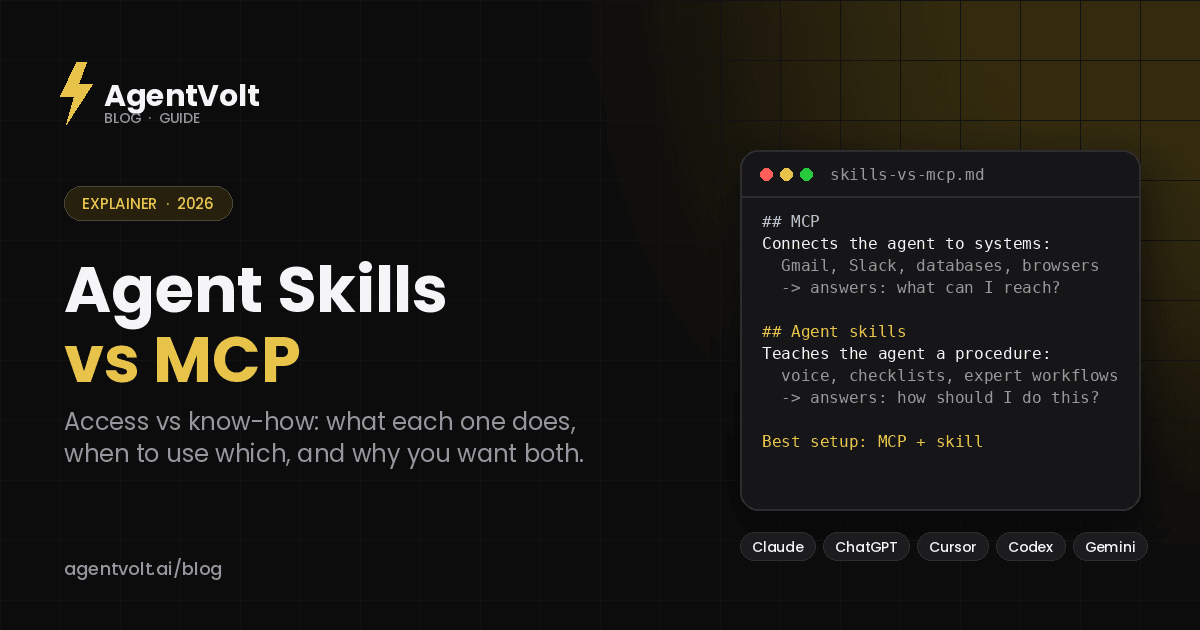
MCP gives your agent access. Skills give your agent know-how.
MCP (Model Context Protocol) connects an agent to outside systems - your inbox, your calendar, a database, a browser, a design tool. A skill teaches the agent how to do a specific job well - how you write cold emails, how your team formats meeting notes, how to review a contract.
An agent with MCP but no skills can reach everything and knows how to do nothing in particular. An agent with skills but no MCP knows exactly how you like things done but can only work with what you paste into the chat.
What is MCP?
The Model Context Protocol is an open standard, originally released by Anthropic in late 2024, for connecting AI applications to external tools and data. The official docs describe it as "a USB-C port for AI applications": one standard plug so any agent can talk to any data source without a custom integration for each pair.
An MCP server wraps a system - Gmail, Slack, Postgres, GitHub, Figma - and exposes what the agent can do with it: tools it can call, resources it can read, and prompts it can use. The agent (the MCP client) connects to the server and gains those abilities. Claude, ChatGPT, Cursor, VS Code, and most other agents support MCP today.
What MCP is good at:
- Reading live data the agent could not otherwise see (today's calendar, the latest ticket, a row in your CRM)
- Taking actions in other systems (send the email, create the issue, update the sheet)
- Giving one agent access to many tools through one protocol
What MCP does not do: it does not tell the agent how to use those tools well. Connecting your inbox does not make the agent good at triaging it.
What are agent skills?
An agent skill is a folder containing a SKILL.md file: a short metadata block (name and description) followed by instructions written in plain Markdown. Skills can also bundle scripts, reference documents, and templates. Anthropic published the format as an open standard at agentskills.io in December 2025, and it is now supported by Claude, ChatGPT and Codex, Cursor, GitHub Copilot, Gemini CLI, and 40+ other agents.
Skills load through progressive disclosure: at startup the agent reads only each skill's name and description, and pulls in the full instructions only when a task matches. That means you can keep dozens installed without slowing anything down.
What skills are good at:
- Encoding a repeatable process (the twelve things to check before sending a proposal)
- Capturing voice, style, and standards (how your brand writes, what "done" looks like)
- Making expert workflows reusable and shareable across agents and teammates
What skills do not do: they cannot reach outside the conversation on their own. A skill can say "check the customer's last three orders," but without a connection to your order system the agent has nothing to check.
Agent skills vs MCP: side by side
| Agent skills | MCP | |
|---|---|---|
| What it is | A folder of instructions (SKILL.md) | A protocol for connecting to tools and data |
| Answers the question | "How should I do this?" | "What can I reach?" |
| Format | Markdown files, readable by anyone | A running server that speaks the protocol |
| Who writes it | Anyone who can write a good procedure | Usually developers, or the tool vendor |
| Runs where | Loaded into the agent's context on demand | A separate process the agent calls |
| Example | A cold-email rewrite checklist | A connection to your Gmail account |
| Security surface | Instructions the agent will follow, so vet the source | Credentials and permissions to real systems |
| Standard maintained by | agentskills.io (open, Anthropic-originated) | modelcontextprotocol.io (open, Anthropic-originated) |
When to use a skill
Reach for a skill when the problem is consistency or expertise. If you find yourself re-explaining the same thing in every chat - your tone, your format, the steps you always want followed - that is a skill. If a task needs judgment a specialist would have (a lawyer's review checklist, a growth marketer's landing-page framework), that is a skill.
A few examples from the AgentVolt marketplace:
- Cold Email Refiner - a procedure for tightening outreach. Needs no connection; you paste the draft.
- Stop Slop Skill - a set of rules for removing AI-writing tells. Pure know-how.
- Product Manager Toolkit - RICE scoring, PRD templates, and discovery frameworks captured as instructions.
When to use MCP
Reach for MCP when the problem is access. If the agent needs to read something it cannot see or change something outside the chat, no amount of instruction will help; it needs a connection. Live calendars, inboxes, databases, ticket systems, browsers, and design tools are all MCP territory.
Most people never write an MCP server. You connect the ones your tools already offer - Gmail, Google Drive, Slack, Notion, GitHub, and hundreds more are available as connectors in Claude, ChatGPT, and Cursor.
Why the best setups use both
The pairing is where agents stop being demos and start being useful. A skill without access is a great process with no inputs; access without a skill is a firehose with no filter.
Some pairings that work well:
- Gmail MCP + Email Triage Agent. The connection reads your inbox; the skill decides what is urgent, drafts the obvious replies, and surfaces the few that need you.
- Slack MCP + Slack Catch-Up Agent. The connection pulls overnight messages; the skill ranks them by what actually needs a reply.
- Calendar MCP + Calendar Triage. The connection sees your week; the skill flags where you are overcommitted and suggests what to move.
- Transcript tool + Meeting Notes Synthesizer. The connection fetches the recording; the skill turns it into action items with owners and dates.
In each case the MCP connection is the same one you would set up anyway. The skill is what makes the result look like it came from someone who knows your job.
A note on security
Because the two work differently, they carry different risks. An MCP server holds credentials and can take real actions, so the questions are about permissions: what can it read, what can it write, and who built it. A skill is a set of instructions the agent will follow, so the question is whether those instructions are trustworthy. Snyk's ToxicSkills research found prompt-injection patterns in 36% of public skills it tested, which is why it matters to install skills from a source that reviews and scans them rather than from a random repo.
Frequently asked questions
Is MCP a replacement for agent skills?
No. They solve different problems. MCP connects an agent to systems; skills tell the agent how to do a task well. Most real workflows need both.
Can a skill call an MCP server?
Indirectly, yes. A skill can instruct the agent to use a tool the agent already has access to through MCP. The skill provides the procedure; MCP provides the tool.
Do I need to know how to code to use either?
For skills, no - they are Markdown files, and marketplaces like AgentVolt let you install them in one click. For MCP, usually no as well, since most agents ship with a connector library; writing your own server does require code.
Which should I set up first?
Start with a skill for the task you repeat most. It works immediately with whatever you paste in. Add the MCP connection once you want the agent to pull that input itself.
The short version, again
MCP is the plug. Skills are the instructions. Connect what the agent needs to reach, then teach it how to do the job.
Browse expert-built skills on AgentVolt - security-scanned, and ready to pair with the connections you already use in Claude, ChatGPT, Cursor, and 40+ other agents.
Skills in this post
Every one is included with AgentVolt Pro.
Cold Email Draft Diagnosis and Rewrite
Paste a cold email draft and get the one problem killing replies, a short single-ask rewrite, a better subject line, and a change log.
Remove AI Writing Tells From Drafts
Strips the patterns that make text read as AI-written, with minimal edits, a change log, and placeholders instead of invented facts.
Feature Launch Go-to-Market Plan
Plan one feature launch: tier, plan access, audience messages, readiness gates for support, sales, billing, and docs, and success metrics.
Inbox Triage and Ready-to-Approve Replies
Turn an inbox backlog into a short decision queue, ready-to-approve replies, and clear archive recommendations.
Slack Catch-Up and Reply Priorities
Get a source-linked Slack catch-up ranked by unresolved replies, blockers, and decisions, with coverage gaps made explicit.
Weekly Calendar Triage and Focus Recovery
Find calendar conflicts and hidden workload, then get specific meeting cuts and moves that create usable focus blocks.
Meeting Decisions and Action Items
Turn raw meeting transcripts into supported decisions, open questions, and action items with owners and due dates.