How to Write a SKILL.md File: Agent Skills Template and Step-by-Step Guide (2026)
A practical guide to writing your own agent skill: the SKILL.md format, a copy-paste template, how to write a description that actually triggers, and the mistakes that keep skills from firing.
AgentVolt · · 8 min read · Updated
Why this matters
You can install a thousand agent skills and still not have the one that matters: the one that does your job, with your rules, in your voice. That one you have to write. The good news is that writing a SKILL.md file takes about twenty minutes, needs no code, and is mostly a matter of writing down what you already know.
This guide walks through the format, gives you a template you can copy, and covers the handful of mistakes that make a skill either never fire or fire at the wrong time. If you are new to the concept, read What Are Agent Skills? first. This post assumes you know what a skill is and want to build one.
The anatomy of a SKILL.md file
A skill is a folder. Inside it is a file called SKILL.md. That file has two parts: a short YAML frontmatter block at the top, and Markdown instructions below it.
my-skill/
├── SKILL.md          # Required
├── scripts/          # Optional: code the agent can run
├── references/       # Optional: docs the agent reads on demand
└── assets/           # Optional: templates, examples, data
The frontmatter has two required fields and a few optional ones, as defined in the Agent Skills specification:
| Field | Required | Rules |
|---|---|---|
name | Yes | 1-64 characters, lowercase letters, numbers, and hyphens only. No leading, trailing, or double hyphens. Must match the folder name. |
description | Yes | 1-1,024 characters. Says what the skill does and when to use it. |
license | No | A license name or a reference to a bundled license file. |
compatibility | No | Up to 500 characters. Only needed if the skill has environment requirements (a specific tool, network access, a system package). |
metadata | No | Any key-value pairs you want, such as author or version. |
allowed-tools | No | Experimental. A space-separated list of tools the skill is pre-approved to use. |
Everything below the frontmatter is free-form Markdown. The spec sets no format rules for the body; it recommends step-by-step instructions, examples of inputs and outputs, and common edge cases.
A SKILL.md template you can copy
Here is a complete, working skill. Copy it, rename the folder, and replace the contents.
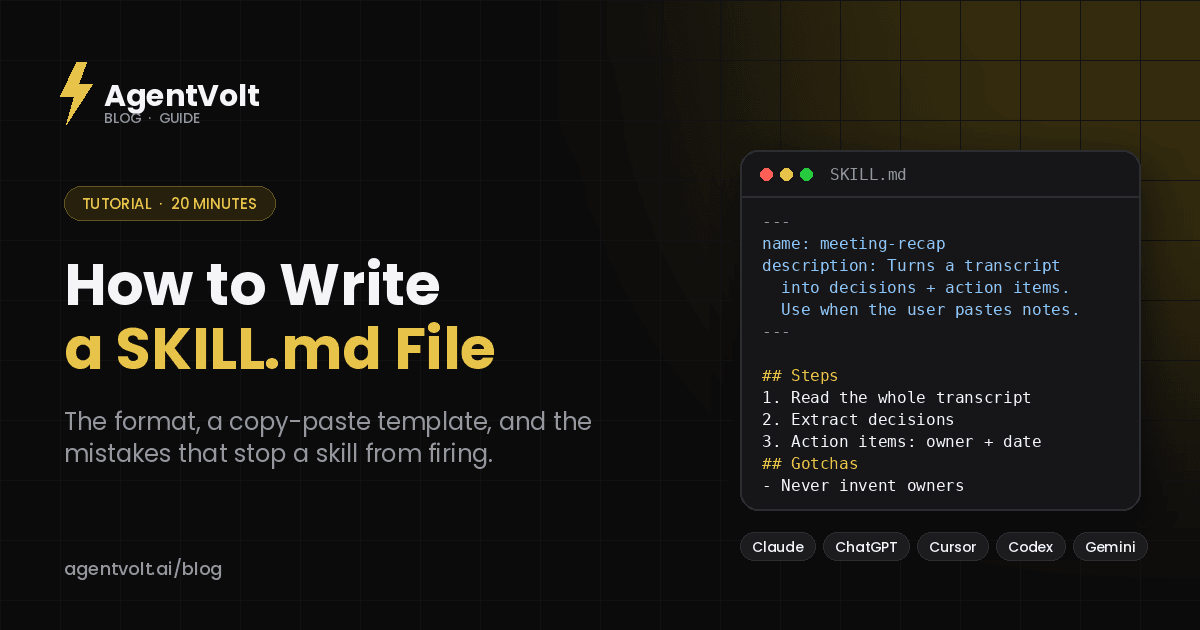
---
name: meeting-recap
description: Turns a raw meeting transcript into a recap with decisions, action items (owner + due date), and open questions. Use when the user pastes a transcript or notes from a call and wants a summary or follow-up.
metadata:
  author: your-name
  version: "1.0"
---

# Meeting Recap

## When to use this skill
The user has shared a meeting transcript, call notes, or a recording summary and wants a recap, action items, or a follow-up email.

## Steps
1. Read the whole transcript before writing anything.
2. Identify decisions that were made. A decision is something the group agreed to do or not do, not something they discussed.
3. Extract action items. Each needs an owner and a due date. If either is missing, mark it "TBD" and list it under Open questions.
4. Note open questions: anything raised but not resolved.
5. Write the recap using the template below. Keep it under 250 words.

## Output template
**Decisions**
- ...

**Action items**
- [Owner] - [Task] - due [Date]

**Open questions**
- ...

## Gotchas
- Do not invent owners. If nobody was assigned, say so.
- Do not summarize small talk or scheduling chatter.
- Keep the user's terminology for projects and people; do not rename things.

## Example
Input: "...Sarah said she'd get the pricing doc to legal by Friday. We agreed to push the launch to the 15th. Nobody's sure who owns the FAQ yet..."

Output:
**Decisions**
- Launch moved to the 15th.

**Action items**
- Sarah - send pricing doc to legal - due Friday

**Open questions**
- Who owns the FAQ?
That is a real skill. Save it in a folder called meeting-recap, install it, and it will fire the next time you paste a transcript.
Step 1: Write the description first
The description is the most important line in the file. Agents load only the name and description of every installed skill at startup, then decide which skill to activate by matching your request against those descriptions. A skill with a vague description never fires. A skill with a description that is too broad fires when it should not.
The spec's own example makes the difference clear. This is poor:
description: Helps with PDFs.This is good:
description: Extracts text and tables from PDF files, fills PDF forms, and merges multiple PDFs. Use when working with PDF documents or when the user mentions PDFs, forms, or document extraction.Two things to include every time: what the skill does, and the words a user would say when they need it. "Use when the user pastes a transcript" is a trigger. "Helps with meetings" is not.
Step 2: Write the procedure, not the answer
The best-practices guide at agentskills.io makes a point worth repeating: a skill should teach the agent how to approach a class of problems, not what to produce for one specific case. Numbered steps that generalize beat a single worked answer.
Write it the way you would brief a competent new hire on day one. Assume they are smart and know the tools; tell them the parts they could not know: your conventions, your standards, the order things happen in, and what "done" looks like.
Some patterns that consistently work:
- A gotchas section. The highest-value lines in most skills are the corrections - "the users table uses soft deletes," "never call the client by their first name in the first email." Every time the agent makes a mistake you have to fix, add a line here.
- An output template. If you want a specific format, show it. Agents pattern-match against a concrete structure far more reliably than they follow a prose description of one.
- A default, not a menu. If several approaches would work, pick one and mention the alternative in a sentence. Listing five options as equals makes the agent slower and less consistent.
- A checklist for multi-step jobs. When steps depend on each other, an explicit checklist keeps the agent from skipping one.
Step 3: Keep it short and push detail to references
Once a skill activates, its whole body loads into the agent's context alongside everything else. The spec recommends keeping SKILL.md under 500 lines and roughly 5,000 tokens. If you have more - a long style guide, an API reference, a big lookup table - move it into a references/ file and tell the agent when to read it:
If the client is in the EU, read references/gdpr-checklist.md before drafting.That single sentence is what makes progressive disclosure work: the agent loads the detail only in the cases that need it.
The test for every line in the body is simple. Would the agent get this wrong without it? If not, cut it. You do not need to explain what a PDF is or how email works.
Step 4: Test it on a real task, then fix it
The first draft is never right. Install the skill, run three or four real tasks through it, and read what the agent actually did - not just the final output, but the steps it took. If it wandered, your instructions were vague. If it followed a step that did not apply, your description or your steps are too broad. If it kept reinventing the same logic, that logic belongs in a bundled script.
Then fix the file and run it again. One pass of execute-then-revise noticeably improves a skill; two or three passes make it reliable.
You can validate the frontmatter against the spec with the reference tool:
skills-ref validate ./my-skillStep 5: Install it
The folder goes in your agent's skills directory. For Claude Code that is ~/.claude/skills/, for Cursor ~/.cursor/skills/, for Codex and Gemini CLI ~/.agents/skills/, and in the Claude app you upload the folder as a ZIP under Customize > Skills. Our install guide has the exact path for every agent.
Because SKILL.md is an open standard, the same folder works unchanged in Claude, ChatGPT and Codex, Cursor, GitHub Copilot, Gemini CLI, and 40+ other agents.
The shortcut: build it without writing YAML
If the format is the part you would rather skip, AgentVolt's Skill Studio lets you build a skill through a guided flow - describe the job, set the tone and output format, add your rules - and get a valid SKILL.md out the other end. Skills you build there live in your workspace alongside anything you install from the marketplace.
And before you write one from scratch, check whether someone already has. The Stop Slop Skill, Meeting Notes Synthesizer, and Cold Email Refiner each started as exactly the kind of skill people write for themselves. Installing one and editing the gotchas section to match your rules is often faster than starting blank.
Common mistakes
The skill never fires. Nine times out of ten the description does not contain the words the user actually says. Add them.
The skill fires on everything. The description is too broad. "Helps with writing" will trigger on every request that involves text. Narrow it to the specific job.
The folder name does not match name. The spec requires them to be identical, lowercase, and hyphenated. Meeting Recap as a folder name will not load.
The body reads like documentation. Skills are instructions, not encyclopedias. If it explains concepts the agent already knows, cut those paragraphs.
It works in one agent and not another. Check the install path, not the file - the format is the same everywhere.
Frequently asked questions
Do I need to know how to code to write a skill?
No. A SKILL.md file is Markdown with a short YAML header. Scripts are optional and most skills do not have any.
How long should a SKILL.md be?
Under 500 lines and about 5,000 tokens for the main file. Longer material goes in references/ files the agent loads only when needed.
Can I share a skill I wrote?
Yes. Put the folder in a shared repository so teammates get it, or publish it on a marketplace. Creators who publish on AgentVolt get a branded landing page and a revenue share on the subscribers they bring in.
What is the difference between a skill and a system prompt?
A system prompt is always on and applies to everything. A skill loads only when a matching task comes up, can be much longer, and can bundle files. Use a system prompt for global preferences and skills for specific jobs.
Write one this week
Pick the task you explain to your AI most often. Write down the steps, the rules, and one example. Save it as SKILL.md in a folder with the right name. Install it. That is the whole process, and once you have done it once you will start seeing skills everywhere.
Browse skills on AgentVolt for inspiration - or to find that someone already wrote the one you need.
Skills in this post
Every one is included with AgentVolt Pro.
Remove AI Writing Tells From Drafts
Strips the patterns that make text read as AI-written, with minimal edits, a change log, and placeholders instead of invented facts.
Meeting Decisions and Action Items
Turn raw meeting transcripts into supported decisions, open questions, and action items with owners and due dates.
Cold Email Draft Diagnosis and Rewrite
Paste a cold email draft and get the one problem killing replies, a short single-ask rewrite, a better subject line, and a change log.