15 Claude Skills Examples: Real SKILL.md Files by Use Case (2026)
Fifteen real Claude skills - writing, email, meetings, sales, creator, finance, and developer - with what each does, the shape of its SKILL.md, and the design pattern that makes it reliable. Copy the patterns for your own.
AgentVolt · · 7 min read
Why this matters
The fastest way to understand what a Claude skill is - and to write a good one - is to look at real ones. Not the toy example from the spec, but skills people actually install and run: what the description says, what the steps look like, what makes it fire at the right moment.
This post walks through 15 real Claude skills by use case: what each one does, what shape its SKILL.md takes, and the design pattern that makes it reliable. Every example is a live skill on the AgentVolt marketplace, and because the format is an open standard, every one also runs in ChatGPT's Codex, Cursor, Gemini CLI, and 40+ other agents. If you want the format itself explained first, start with What Are Agent Skills? and the SKILL.md writing guide.
What every example has in common
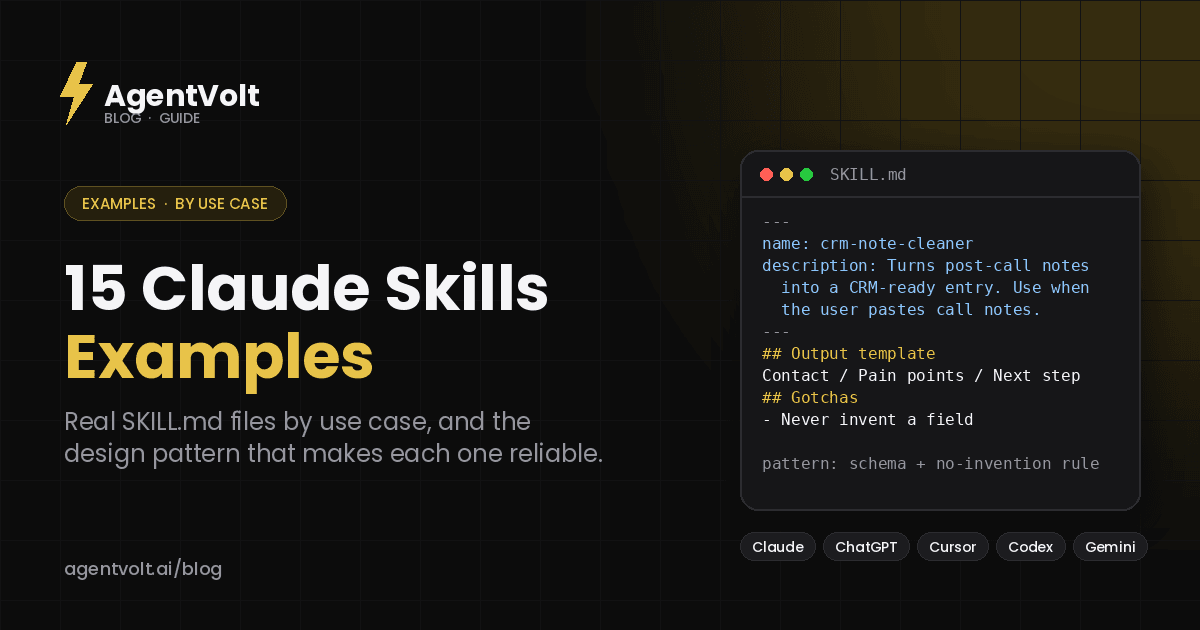
A skill is a folder with a SKILL.md file. The file opens with a name and a description, then gives instructions in Markdown. The description is the trigger: Claude reads only the name and description of each installed skill at startup, and loads the full instructions when a request matches. Every skill below has a description that says both what it does and when to use it, numbered steps rather than prose, and in most cases an output template and a gotchas list. Those four things are the pattern.
Writing and editing skills
1. Stop Slop Skill
What it does: removes the tells that make AI writing read as AI writing.
The pattern: a rules list. A de-AI-ify skill is essentially the checklist a good editor carries in their head - the patterns to strip and what to do instead - written down so the agent applies it every time. Scoping the description to text the agent has drafted keeps it from firing on every request.
Install: Stop Slop Skill
2. Cold Email Refiner
What it does: rewrites a cold email to be tighter and less likely to read as spam, and returns a note on what was wrong.
The pattern: a last-pass skill, the easiest kind to trust - the user brings the draft and stays in control. Per its listing it strips filler, fixes a me-first opening, cuts three asks to one, flags spam-trigger words, and returns the rewrite plus a short note on what was wrong. Concrete steps, fixed output, and a description built from the words a user actually types.
Install: Cold Email Refiner
3. Content Repurposing Engine
What it does: turns one transcript or long post into a week of threads, Shorts scripts, and newsletter copy in your voice.
The pattern: one input, many templated outputs. A repurposing skill needs a format per channel so the agent produces platform-correct pieces rather than five copies of the same paragraph. This one was built by a creator who runs the process weekly, which is where the formats come from.
Install: Content Repurposing Engine
Meeting and email skills
4. Meeting Notes Synthesizer
What it does: turns a raw transcript into decisions, action items with owners and due dates, and open questions.
The pattern: an output template does the heavy lifting. Fixed sections mean every recap looks the same, and the owner-plus-due-date requirement on each action item is the constraint that stops the most common failure - vague follow-ups nobody owns.
Install: Meeting Notes Synthesizer
5. Email Triage Agent
What it does: sorts an inbox into reply-now, reply-later, and archive, drafts the obvious replies, and surfaces what needs you.
The pattern: a procedure over an external input. Paired with an inbox connection through MCP, the skill supplies the how - how to classify, which replies are safe to draft, what "needs a human" means - while the connection supplies the access. It is the clearest example of the two working together.
Install: Email Triage Agent
6. Slack Catch-Up Agent
What it does: summarizes what you missed across channels, ranked by what needs a reply.
The pattern: ranking rules. A catch-up skill is only useful if it defines what "needs a reply from you" means and demotes the rest, so the summary comes back prioritized rather than chronological.
Install: Slack Catch-Up Agent
Planning skills
7. Weekly Review Builder
What it does: pulls calendar, inbox, and tasks into a structured weekly review.
The pattern: an encoded ritual. A review skill mirrors a GTD-style loop - what shipped, what slipped, what carries forward - and a fixed template makes the output comparable week to week, which is the whole point of a review.
Install: Weekly Review Builder
8. Calendar Triage
What it does: reviews the week ahead, flags overcommitment, and suggests what to cut or move.
The pattern: judgment rules. A triage skill has to define what counts as overcommitted and how to phrase a suggestion so it reads as a recommendation, not a command. That definition is the skill.
Install: Calendar Triage
Sales skills
9. CRM Note Cleaner
What it does: turns rambling post-call notes into a structured, CRM-ready entry with next steps.
The pattern: a strict output schema and a no-invention rule. A CRM entry has fixed fields, and a good version of this skill leaves unsupported fields blank rather than filling them in. That constraint is what makes the output trustworthy enough to paste into a real CRM.
Install: CRM Note Cleaner
10. Pre-Call Research
What it does: gathers web and Notion context on a prospect and preloads talking points before a call.
The pattern: a research procedure with a stop condition. Per its listing it replaces the 10 to 15 minutes of prep before a call by gathering web and Notion context and preloading talking points. Research skills need a defined "enough"; without one they run forever.
Install: Pre-Call Research
Creator skills
11. YouTube Script Agent
What it does: writes Shorts, standard, and long-form scripts with hooks, retention beats, and a CTA.
The pattern: structure by format. A script skill needs a different skeleton for each length - where the hook lands, how retention beats are spaced, how the CTA is set up - so a Short and a 12-minute video come out structurally different from the same skill.
Install: YouTube Script Agent
12. YouTube Packaging Skill
What it does: generates title-and-thumbnail-text pairs that never echo each other.
The pattern: one rule, applied hard. The whole skill is built around a single principle - title and thumbnail text must complete each other, never echo - which is a great example of a narrow skill outperforming a general "help with YouTube" one.
Install: YouTube Packaging Skill
Finance and analysis skills
13. Three-Statement Model Builder
What it does: builds a linked income statement, balance sheet, and cash flow model from assumptions.
The pattern: plan-validate-execute. A modeling skill lays out assumptions, builds the statements, and checks that they link - the balance sheet balances, cash ties - before returning the workbook. Building the validation into the skill rather than leaving it to the user is what makes the output auditable.
Install: Three-Statement Model Builder
14. Research Brief Compiler
What it does: turns a topic and a handful of links into a sourced briefing.
The pattern: an evidence rule. A briefing skill that ties claims back to the provided sources, and separates what is supported from what is not, produces something you can act on rather than a confident summary.
Install: Research Brief Compiler
Developer skills
15. Migrate
What it does: plans and executes a codebase or database migration step by step with safety checks.
The pattern: a checklist with gates. Safety checks between steps mean each stage must pass before the next runs, and the skill can be prescriptive where the operation is fragile and flexible where it is not - the calibration advice the skills spec recommends.
Install: Migrate
What to copy from these examples
Five things show up across the skills above.
The description names the trigger words a user would actually type. The body is numbered steps, not paragraphs. There is an output template, so results are consistent. There is a gotchas section that stops the model's most likely mistake. And the skill does one job - the narrow ones (Packaging, CRM Note Cleaner) are the most reliable.
If you are writing your own, start from a real run of the task, capture the corrections you made, and structure them this way. The SKILL.md guide has a template.
Frequently asked questions
Where can I see the full SKILL.md for these examples?
Open any skill page on AgentVolt and click Get this skill; the full file is included with a Pro subscription. Anthropic's public skills repository also has complete reference examples for document handling.
Do these examples work in ChatGPT or Cursor?
Yes. They are standard SKILL.md files, supported by Claude, ChatGPT's Codex, Cursor, Copilot, Gemini CLI, and 40+ other agents. The install guide has the path for each.
How long is a typical skill?
Most practical skills run a few dozen to a few hundred lines. The spec recommends staying under 500 lines and about 5,000 tokens, with longer reference material in a separate folder.
Can I edit an installed skill?
Yes - it is a text file. The most common edit is adding lines to the gotchas section after the agent makes a mistake you had to correct.
Pick one and read it
The best next step is not another article. Install one of the skills above for a task you actually do, open the SKILL.md, and read it against the five patterns. You will see how little it takes to make an agent reliable at one job, and you will start seeing skills everywhere.
Browse 1,000+ skills on AgentVolt - reviewed, security-scanned, and readable examples of the format done well.
Skills in this post
Every one is included with AgentVolt Pro.
Stop Slop Skill
Kills the AI-writing tells in Claude's output so text doesn't read as generic AI slop.
Cold Email Refiner
Rewrites your cold email to be tighter, more direct, and far less likely to read as spam.
Content Repurposing Engine
Turn one video or transcript into a week of posts — threads, shorts scripts, newsletters — in your voice.
Meeting Notes Synthesizer
Turns a raw meeting transcript into clean action items, each with an owner and a due date.
Email Triage Agent
Sorts your inbox, drafts the obvious replies, and surfaces the few messages that actually need you.
Slack Catch-Up Agent
Summarizes what you missed across your Slack channels overnight, ranked by what needs a reply.
Weekly Review Builder
Pulls your calendar, inbox, and tasks into a structured weekly self-review in minutes.
Calendar Triage
Reviews the week ahead, flags where you are overcommitted, and suggests what to cut or move.
CRM Note Cleaner
Turns rambling post-call notes into structured, CRM-ready entries with clear next steps.
Pre-Call Research
Automates the 10-15 minutes of pre-call research and prep by gathering web and Notion context on each prospect and preloading talking points before every call.
YouTube Script Writer
Writes a full long-form YouTube script with a strong cold open, arcs, and CTAs.
YouTube Packaging Tester
Creates title/thumbnail pairs and pressure-tests them against each other.
Three-Statement Model Builder
Builds a fully linked income statement, balance sheet, and cash flow model from your assumptions.
Research Brief Compiler
Give it a topic and a handful of links; get back a tight, sourced briefing doc you can act on.
Migrate
Plan and execute codebase or database migrations step by step with safety checks.
Keep reading
· 6 min read
12 Best AI Skills for Freelancers and Consultants in 2026 (Pitch, Scope, Deliver, Get Paid)
· 7 min read
5 Best Custom GPT Alternatives in 2026 (Now That Personal Plans Can't Build GPTs)
· 6 min read