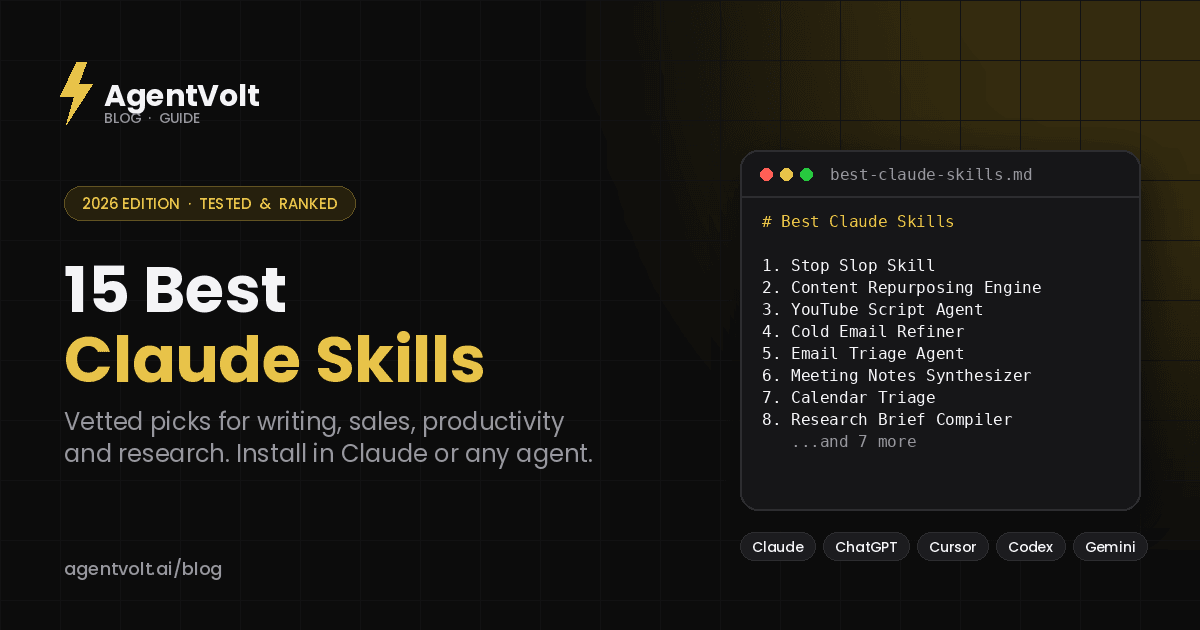
15 Best Claude Skills to Install in 2026 (for Writing, Sales & Productivity)
The best Claude skills in 2026, picked for the work most people actually do - writing, outreach, email, meetings, and research - plus how to install them in Claude, Claude Code, or any other agent.
AgentVolt · · 7 min read
Why this matters
Search "best Claude skills" and you get the same five developer tools on every list - a skill creator, a test runner, a PDF parser. Useful if you write code all day. Not much help if you run sales, publish content, manage a team, or are just trying to get your inbox under control.
This list is different. We picked 15 Claude skills across the jobs most people actually do, and every one of them is a real, installable SKILL.md you can add to Claude, Claude Code, or any other agent on the open standard in about 30 seconds. No GitHub cloning, no folder wrangling.
If you are new to the concept, start with our guide to what agent skills are and how SKILL.md works. Otherwise, here is the list.
How we picked these Claude skills
Three filters. The skill had to replace a task people do repeatedly by hand, so it saves time every week rather than once. It had to produce a finished output, not a suggestion - a rewritten email, a set of action items, a script - so you can judge it in one run. And it had to be vetted and security-scanned, because independent research has found prompt-injection patterns in roughly a third of public skills.
Everything below is on the AgentVolt marketplace, which means it works in Claude and in every other agent on the standard: ChatGPT, Codex, Cursor, Gemini CLI, and 40+ more.
Best Claude skills for writing and content
1. Stop Slop Skill
The first skill anyone who publishes with Claude should install. It strips the tells that make AI writing read as AI writing - the tidy triads, the hedge phrases, the em-dash pileups, the "in today's fast-paced world" openers - and returns copy that sounds like a person wrote it.
Best for: anyone whose Claude output goes in front of customers, readers, or a boss. Install: Stop Slop Skill
2. Content Repurposing Engine
Paste one video transcript, podcast, or long post and get a week of derivative content back - X threads, Shorts scripts, a newsletter issue, LinkedIn posts - all in your voice. This is the skill that turns "I should repurpose more" into something that actually happens.
Best for: creators, marketers, and founders who publish on more than one channel. Install: Content Repurposing Engine
3. YouTube Script Agent
Writes Shorts, standard, and long-form YouTube scripts with a hook in the first five seconds, retention beats every 45 to 60 seconds, and a call to action that does not feel bolted on. Tell it the topic, the length, and the channel style; it handles structure.
Best for: YouTubers and video teams tired of staring at a blank doc. Install: YouTube Script Agent
4. Social Content
A generalist for LinkedIn, X, Instagram, TikTok, and Facebook. It knows the format conventions of each platform - hook length, hashtag norms, carousel structure - so you stop rewriting the same post five times.
Best for: social managers and solo operators running several accounts. Install: Social Content
Best Claude skills for sales and outreach
5. Cold Email Refiner
The last pass before you hit send. Paste a draft; it cuts the me-first opening, reduces three asks to one, flags the hype words that trip spam filters, and returns the rewrite with a two-line note on what was wrong. Use it on one email or to set the bar for a whole campaign.
Best for: founders and reps who write their own outreach. Install: Cold Email Refiner
6. CRM Note Cleaner
Dump your post-call brain into Claude and get a structured, CRM-ready entry with contact details, pain points, objections, and next steps. It is the difference between a pipeline you trust and one you have to re-read.
Best for: anyone who takes call notes and dreads logging them. Install: CRM Note Cleaner
7. Upwork Outreach Skill
Generates personalized Upwork proposals with a custom cover letter, a technical breakdown of how you would approach the job, and a simple diagram - the things that get a proposal read when 40 others are pasted templates.
Best for: freelancers and agencies bidding on Upwork. Install: Upwork Outreach Skill
Best Claude skills for productivity
8. Email Triage Agent
Sorts your inbox into reply-now, reply-later, and archive; drafts the obvious replies; and surfaces the handful of messages that actually need your brain. Pair it with a Gmail connection and it runs against your real inbox.
Best for: anyone who opens email to 80+ unread every morning. Install: Email Triage Agent
9. Meeting Notes Synthesizer
Turns a raw transcript from Zoom, Meet, or Otter into clean action items - each with an owner and a due date - plus a short summary of decisions. Paste the transcript, get the follow-up email.
Best for: managers and PMs who run more than three meetings a day. Install: Meeting Notes Synthesizer
10. Calendar Triage
Reviews the week ahead, flags where you are overcommitted, and suggests what to cut, shorten, or move. It is the "are you sure about Thursday?" friend you did not know you needed.
Best for: people whose calendar fills up before they get a say. Install: Calendar Triage
11. Slack Catch-Up Agent
Summarizes what you missed across channels overnight or over a weekend, ranked by what needs a reply from you. Reads 400 messages so you can read 12.
Best for: anyone on a distributed team in more than one time zone. Install: Slack Catch-Up Agent
12. Weekly Review Builder
Pulls calendar, inbox, and task list into a structured weekly review: what shipped, what slipped, what to carry forward. Fifteen minutes on Friday instead of a vague sense of dread on Monday.
Best for: GTD fans and anyone who wants a real weekly review without building the template. Install: Weekly Review Builder
Best Claude skills for research and business
13. Research Brief Compiler
Give it a topic and a handful of links; get back a tight, sourced briefing you can act on - key facts, disagreements between sources, and open questions. Every claim is tied to a link so you can check it.
Best for: analysts, founders, and anyone preparing for a meeting where they need to sound informed. Install: Research Brief Compiler
14. Product Manager Toolkit
RICE prioritization, customer-interview analysis, PRD templates, discovery frameworks, and go-to-market planning in one skill. It is the PM playbook a good senior PM keeps in their head, written down so Claude can run it.
Best for: product managers and founders acting as one. Install: Product Manager Toolkit
15. Daily Standup Generator
Pulls yesterday's commits, PRs, and tickets into a ready-to-post standup update. The one developer-facing skill on this list, because it saves ten minutes every single morning.
Best for: engineers and engineering managers. Install: Daily Standup Generator
How to install Claude skills
Skills work in both the Claude app and Claude Code, but the install path is different.
In the Claude app (claude.ai): go to Customize > Skills, click "+" then "Create skill", choose "Upload a skill", and upload the skill folder as a ZIP. Skills are available on Free, Pro, Max, Team, and Enterprise plans; code execution needs to be enabled first under Settings > Capabilities.
In Claude Code: drop the skill folder into ~/.claude/skills/<skill-name>/ to make it available in every project, or .claude/skills/<skill-name>/ inside a repo to scope it to that project. Claude will use the skill automatically when a task matches its description, or you can call it directly with /skill-name.
From AgentVolt: open any skill page, click "Get this skill", and you get the ready-to-install SKILL.md - already customized to your tone, audience, and output format if the skill supports it. The same file works in ChatGPT, Codex, Cursor, Gemini CLI, and every other agent on the open standard, so you install once and use it everywhere.
How many Claude skills should you install?
Fewer than you think. The agent loads only the name and description of each installed skill at startup, so a big library does not slow Claude down - but a big library does make it more likely the wrong skill fires. Research on curated skill sets found that two or three focused skills per task outperformed sprawling all-in-one bundles.
A good rule: install a skill for each job you do at least weekly, and remove any you have not used in a month.
Frequently asked questions
Are Claude skills free?
Many skills on GitHub are free but unvetted, and quality varies widely. The skills in this list are included with AgentVolt Pro - $19/month for the full library of 1,000+ expert-built, security-scanned skills, cancel anytime.
Do Claude skills work in ChatGPT or Cursor?
Yes. Skills use the open SKILL.md standard, which is supported by ChatGPT and Codex, Cursor, GitHub Copilot, VS Code, Gemini CLI, and more than 40 other agents. A skill you install for Claude works unchanged everywhere else.
What is the difference between a Claude skill and a custom instruction?
A custom instruction is always on and applies to everything. A skill is loaded only when a task matches its description, can be much longer and more detailed, and can bundle scripts and reference files. Use instructions for global preferences and skills for specific jobs.
Can I write my own Claude skill?
Yes. A skill is a folder with a SKILL.md file containing a name, a description, and step-by-step instructions. Our agent skills guide walks through the format.
Start with one
Do not install all 15. Pick the one task you repeat most - for most people it is email, meeting notes, or the piece of writing they redo every week - install that skill, and use it for a few days. Once you have felt the difference on one job, the rest of the list will make sense.
Browse all skills on AgentVolt - expert-built, security-scanned, and ready to install in Claude or any agent you already use.
Skills in this post
Every one is included with AgentVolt Pro.
Remove AI Writing Tells From Drafts
Strips the patterns that make text read as AI-written, with minimal edits, a change log, and placeholders instead of invented facts.
Content Repurposing Engine
Turn one video or transcript into a week of posts — threads, shorts scripts, newsletters — in your voice.
YouTube Script Writer (Shorts to Long-Form)
Shootable YouTube scripts from the title promise: hook in seconds, pacing by format, runtime-matched word count, one CTA, editor cues.
Repurpose One Idea Into Platform-Native Social Posts
Turns one blog post, video, or announcement into a ready-to-paste set of posts, one angle per platform, plus a posting order.
Cold Email Draft Diagnosis and Rewrite
Paste a cold email draft and get the one problem killing replies, a short single-ask rewrite, a better subject line, and a change log.
Sales Call Notes to CRM Entry
Turns messy call notes or transcripts into a paste-ready CRM entry with evidence-backed fields, verbatim objections, and dated next steps.
Tailored Upwork Proposals and Technical Plans
Get tailored Upwork cover letters, screening answers, technical plans, and diagrams grounded in the job and your experience.
Inbox Triage and Ready-to-Approve Replies
Turn an inbox backlog into a short decision queue, ready-to-approve replies, and clear archive recommendations.
Meeting Decisions and Action Items
Turn raw meeting transcripts into supported decisions, open questions, and action items with owners and due dates.
Weekly Calendar Triage and Focus Recovery
Find calendar conflicts and hidden workload, then get specific meeting cuts and moves that create usable focus blocks.
Slack Catch-Up and Reply Priorities
Get a source-linked Slack catch-up ranked by unresolved replies, blockers, and decisions, with coverage gaps made explicit.
Weekly Review from Calendar, Inbox, and Tasks
Turn calendar, inbox, and task records into an evidence-based weekly review with open loops and three next-week priorities.
Source-Reconciled Research Brief
Turn supplied links into a concise brief with claim-level citations, reconciled source conflicts, and explicit evidence gaps.
Feature Launch Go-to-Market Plan
Plan one feature launch: tier, plan access, audience messages, readiness gates for support, sales, billing, and docs, and success metrics.
Daily Standup Writer from Git and Tickets
Turns your commits, PRs, reviews, and ticket moves into a 15-second standup post that never says shipped when it only merged.