14 Best Claude Code Skills for Developers in 2026 (Migrations, Performance, Incidents & More)
The best Claude Code skills for real engineering work: TypeScript LSP, migrations, Postgres tuning, performance profiling, incident response, tech debt, browser testing, and managing Claude Code itself.
AgentVolt · · 7 min read
Why this matters
Claude Code is very good at writing code and surprisingly bad at knowing how your team writes code. It does not know your migration checklist, which flags are safe to retire, or that the users table uses soft deletes. So you tell it, every session, and it gets it mostly right.
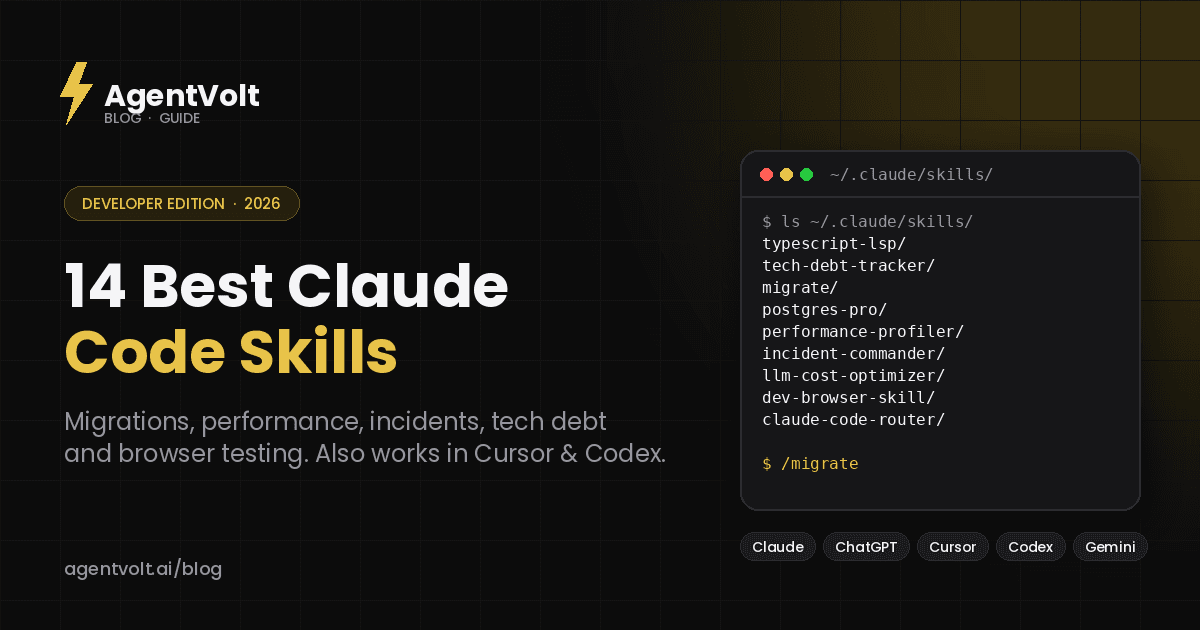
Skills fix the "every session" part. A skill is a SKILL.md folder Claude Code loads on demand - a written procedure for one job, with the gotchas included. Install it once and Claude follows it automatically whenever the task fits, or on demand when you type /skill-name.
This is a list of the 14 best Claude Code skills for developers, picked for the jobs that eat the most hours: migrations, performance, incident response, tech debt, browser testing, and the meta-work of managing Claude Code itself. Every one is a real, installable skill from the AgentVolt marketplace, and because SKILL.md is an open standard, every one also works in Cursor, Codex, Copilot, and Gemini CLI.
Code quality and architecture
1. TypeScript LSP
Gives Claude a live map of your TypeScript codebase - every type, reference, and import - through the language server instead of file reads. The practical effect is far fewer hallucinated method names and imports on large projects, because Claude is looking at what actually exists.
Best for: anyone running Claude Code on a TypeScript repo bigger than a weekend project. Install: TypeScript LSP
2. Tech Debt Tracker
Scans a codebase for technical debt, scores each item by severity, tracks the trend over time, and produces a prioritized remediation plan. It turns "we should clean this up sometime" into a ranked list you can put in a sprint.
Best for: tech leads inheriting a codebase. Install: Tech Debt Tracker
3. Feature Flags Architect
Adding, retiring, and auditing feature flags - including the part everyone skips, which is finding the flags that have been on for eight months and can go. It knows the common frameworks and the failure modes of each.
Best for: teams whose flag count only goes up. Install: Feature Flags Architect
4. Generate
Scaffolds code, tests, and boilerplate from a short spec, following the patterns already in your repo rather than generic templates. Good for the first 20% of a feature that is all plumbing.
Best for: anyone who writes the same handler, model, and test skeleton every week. Install: Generate
Data and migrations
5. Migrate
Plans and executes codebase or database migrations step by step, with safety checks between stages. It is the plan-validate-execute pattern from the skills spec applied to the operation most likely to ruin your afternoon.
Best for: any migration you would not want to run without a checklist. Install: Migrate
6. Migration Architect
The planning layer above Migrate: zero-downtime strategies, compatibility validation, and rollback procedures generated before you touch anything. Use it when the migration is big enough to need a document.
Best for: platform teams and anyone migrating under load. Install: Migration Architect
7. Postgres Pro
Query optimization, replication configuration, and the advanced Postgres features most developers know exist but have never configured. Paste a slow query and an EXPLAIN plan; get back the index and the rewrite.
Best for: teams where the database is the bottleneck and nobody is a DBA. Install: Postgres Pro
8. Data Quality Auditor
Audits datasets for completeness, consistency, accuracy, and validity, and reports what it found in a format you can hand to whoever owns the pipeline.
Best for: data engineers and anyone whose dashboards are quietly wrong. Install: Data Quality Auditor
Performance and reliability
9. Performance Profiler
A systematic profiling workflow for Node.js, Python, and Go: where to instrument, how to read the output, and what to change first. It replaces the "add console.time everywhere and squint" method.
Best for: the first hour of any "it's slow" ticket. Install: Performance Profiler
10. Incident Commander
An incident response framework from detection through resolution and post-incident review - roles, communication cadence, the questions to ask in the first ten minutes, and a postmortem template. Load it when the pager goes off and Claude runs the process while you fix the thing.
Best for: small teams without a dedicated on-call playbook. Install: Incident Commander
11. LLM Cost Optimizer
Fires whenever LLM API costs come up - or should. It reviews how you are calling models, flags where a cheaper model or caching would do, and estimates the savings. If you ship anything on top of an LLM API, this pays for itself the first time it runs.
Best for: teams building on Claude, OpenAI, or Gemini APIs. Install: LLM Cost Optimizer
Testing and automation
12. Dev Browser Skill
Gives Claude Code a real browser it can click, type into, and log in with, for testing live web apps and reproducing bugs the way a user would hit them. Pair it with the Browser Automation skill below for scraping and form-filling workflows.
Best for: full-stack developers who want Claude to actually try the UI. Install: Dev Browser Skill
Managing Claude Code itself
13. Claude Router
Routes Claude Code requests to different models based on task complexity - a fast model for boilerplate, a frontier model for architecture - to cut cost and latency without you thinking about it per request.
Best for: heavy Claude Code users watching their bill. Install: Claude Router
14. Claude Code Organizer
A dashboard for managing skills, MCP servers, and context files in global or project scope. Once you have more than a handful of skills installed, this is how you keep track of what is loaded where.
Best for: anyone who has lost track of what is in ~/.claude/.
Install: Claude Code Organizer
Honorable mentions
Daily Standup Generator pulls yesterday's commits, PRs, and tickets into a ready-to-post update. Skill Chaining Kit lets skills call other skills so you can turn a multi-step workflow into one slash command. Helm Chart Builder, Golang Pro, and SQL Pro are worth a look if those are your stack.
How to install Claude Code skills
Skills live in one of two places:
| Scope | Path | Available in |
|---|---|---|
| Personal | ~/.claude/skills/<skill-name>/SKILL.md | All your projects |
| Project | .claude/skills/<skill-name>/SKILL.md | That repository only |
Drop the folder in, start a new session, and Claude Code picks it up. It uses a skill automatically when the task matches the skill's description, or you can invoke one directly with /skill-name. Project-scoped skills travel with the repo, so everyone who clones it gets them - which is how you turn "our migration checklist" into something Claude enforces for the whole team.
From AgentVolt, open any skill page, click Get this skill, and you get the ready-to-install folder. The same folder works in Cursor (which also reads ~/.claude/skills/), Codex, Copilot, and Gemini CLI; our install guide has each path.
A note on where you get skills
Developers are the most likely to install from a random GitHub repo, and the research says to be careful: Snyk's audit of one open registry found security flaws in about 37% of skills and 76 that were confirmed malicious, most using obfuscated prompt injection that survives a casual read. A coding agent with shell access has the biggest blast radius of any agent. Every skill on AgentVolt is reviewed and security-scanned before it is listed; whatever source you use, read the file, and keep your install list short.
Frequently asked questions
What is a Claude Code skill?
A folder containing a SKILL.md file with a name, a description, and instructions Claude Code follows when a task matches. Skills can bundle scripts and reference files. The format is an open standard shared with Cursor, Codex, Copilot, Gemini CLI, and 40+ other agents.
How is a skill different from CLAUDE.md?
CLAUDE.md is always loaded and applies to everything in the project - conventions, commands, context. A skill loads only when a matching task comes up, can be much longer, and can bundle files. Put global conventions in CLAUDE.md and specific procedures in skills.
How many skills should I install?
Fewer than you think. Claude loads only each skill's name and description at startup, so a big library is not slow, but it increases the chance the wrong skill fires. Research on curated skill sets found two or three focused skills per task beat large bundles.
Can I write my own Claude Code skill?
Yes, and for team conventions you should. Our SKILL.md guide has a template and the rules for descriptions that trigger reliably.
Start with the one that hurts
Pick the job on this list you did most recently and hated - for most developers that is a migration or a performance ticket - and install that skill. Run the next one through it. If it saves you an hour, install the second skill. That is the whole adoption strategy.
Browse developer skills on AgentVolt - reviewed, security-scanned, and ready to install in Claude Code or any agent on the standard.
Skills in this post
Every one is included with AgentVolt Pro.
TypeScript LSP Navigation and Safe Refactoring
Trace real TypeScript types, imports, and references, then refactor with scoped diagnostics and compiler checks.
Technical Debt Baselines and Remediation Plans
Build an evidence-backed debt register, compare reliable baselines, and create a prioritized remediation plan with closure checks.
Feature Flag Rollouts and Kill Switches
Design staged flag rollouts, verify rollback paths, and audit flag debt with explicit defaults, gates, and retirement plans.
Feature Scaffolding with Working Tests
Turn a short feature spec into code, runnable tests, and integration wiring that match your existing project.
Codebase and Database Migration Rollouts
Plan and implement staged codebase or database migrations with compatibility checks, resumable backfills, and recovery gates.
Zero-Downtime Migration and Cutover Plans
Get phased database, system, and infrastructure migration plans with compatibility gates, data validation, and executable rollback paths.
PostgreSQL Query and Operations Tuning
Tune PostgreSQL queries, indexes, JSONB, replication, and autovacuum with diagnostic SQL and verification steps.
Dataset Quality Audit Before Analysis or ML
Find what's wrong with a dataset before you analyze or train on it: ranked issues with counts, causes, and exact fixes.
Performance Bottleneck Profiling: Node, Python, Go
Classifies a slowdown, gives exact profiler commands, reads the output, and proves the fix with same-conditions p95/p99 numbers.
Live Outage Incident Command
Run a live outage: impact-based severity, clear roles, a mitigation-first plan, timed status updates, and real resolution criteria.
LLM API Cost Reduction: Caching, Routing, Token Budgets
Breaks your LLM bill down per call site, then ranks fixes like output trimming, caching, batch, and routing by savings and risk.
Live Browser Verification for Web App Changes
Drives your running web app in a real browser to reproduce bugs and verify UI changes, with console, network, and screenshot evidence.
Claude Code Cost and Latency Routing
Configure Claude Code Router with model tiers, explicit fallbacks, compatibility checks, and a cost-aware validation plan.
Claude Code Setup Audit: Skills, MCPs, CLAUDE.md
Audit your Claude Code skills, MCP servers, and CLAUDE.md: find overlaps, context bloat, and wrong scopes, with exact fix commands.
Daily Standup Writer from Git and Tickets
Turns your commits, PRs, reviews, and ticket moves into a 15-second standup post that never says shipped when it only merged.
Multi-Skill Slash Command Workflows
Build one Claude Code slash command that chains installed skills with checked handoffs, context isolation, and safe restarts.
Helm Chart Creation and Upgrade Safety
Build or repair Helm charts with stable upgrades, validated values, scoped security, and an honest test report.
Production Go: Concurrency, Services & Profiling
Production Go code with leak-free goroutines, context-correct services, wrapped errors, and pprof-driven performance fixes.
SQL Query Optimization and Schema Review
Get SQL rewrites, evidence-based index recommendations, schema reviews, and dialect migrations with validation steps.